TT Product Addons
TT Product Addons attaches a form to WooCommerce products or categories. Customers complete it on the product page, for example sizes, colours or notes, and their answers travel with the cart item into the order, where your team can read them.
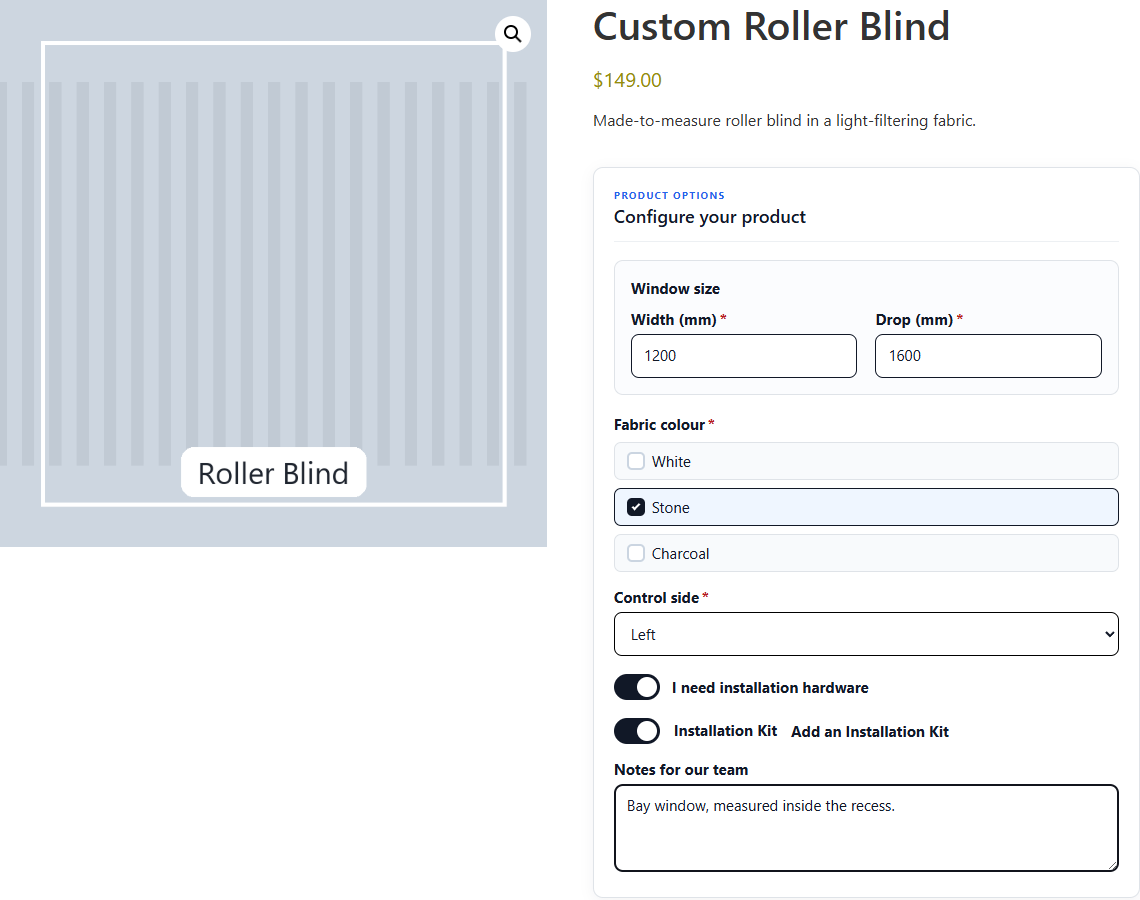
What you can do
Build forms visuallyClick or drag fields into a live preview and arrange them in groups.
Use rich field typesChoices, image switches, switches, inputs, text blocks and groups.
Sell add-on productsRelated product fields add a real product to the cart next to the main one.
Show fields only when neededConditional logic based on other answers.
Target products or categoriesWith priority when several forms match.
Read answers in ordersIn the cart, checkout, emails, order screen and orders list.
Where to find it
| Menu | Use it to |
|---|---|
| TT Product Addons › Dashboard | See how many forms are published or in draft, and create a form. |
| Forms and Add New Form | Create and edit product forms. |
| Settings | Default form position, form heading and global form styles. |
How it works
- Assign a form to products or product categories.
- Add the fields customers should complete.
- Customers fill in the form on the product page. Required answers are checked before the product can be added to the cart.
- Answers are saved to the order line, so staff see exactly what was ordered.
Different answers, different cart lines. The same product added twice with different answers appears as two separate cart lines, each with its own answers.