Assignment & display
The Product Assignment box decides where a form appears. The Display Conditions box decides when each field appears.
Product Assignment
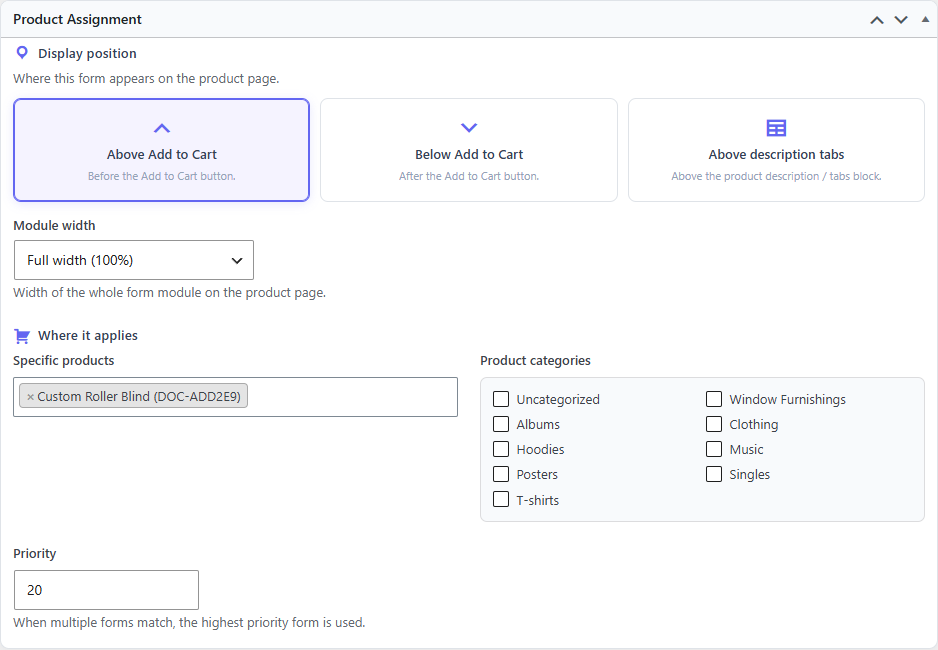
Display position
- Above Add to Cart: before the Add to Cart button.
- Below Add to Cart: after the Add to Cart button.
- Above description tabs: above the product description and tabs.
New forms start with the default position from Settings.
Module width
The width of the whole form on the product page: Full width (100%), 75%, two-thirds (66%) or half (50%).
Where it applies
- Specific products: search and pick products.
- Product categories: tick categories; every product in them gets the form.
- Priority: when several forms match the same product, the form with the highest priority is used.
A form must be assigned to at least one product or category, and have at least one field, before it appears on the store.
Display Conditions
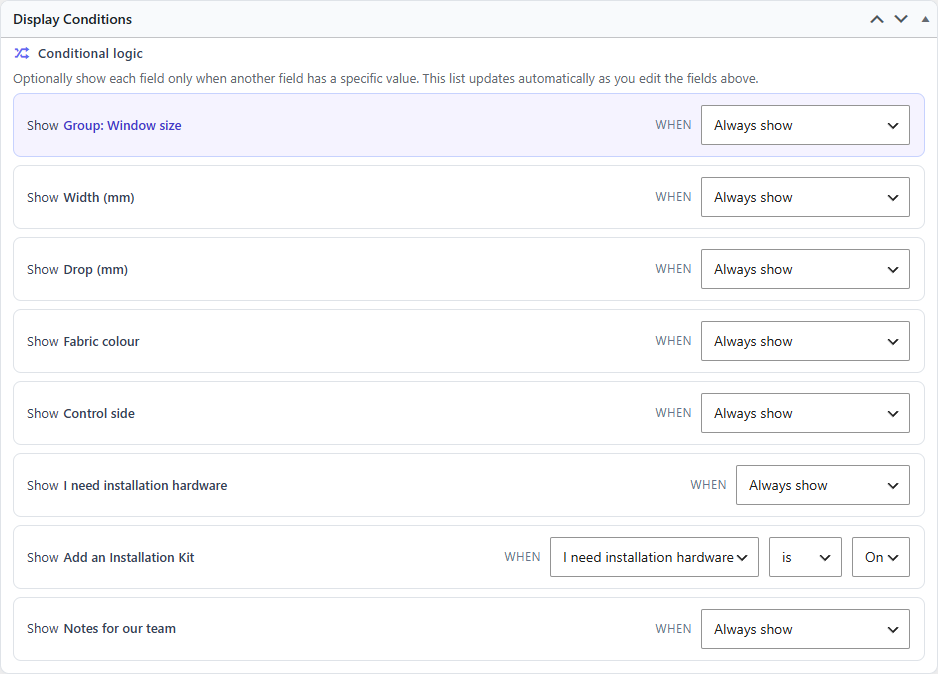
Every field and group is listed with Always show. To show a field only in some cases, choose another field, then is or is not, and a value (for a switch: On or Off; for choices: one of the options; or has any value).
The list updates as you edit the fields above. Hidden fields are not required and their answers are not saved.