Dashboard
The Dashboard is the first page of the TT B2B Perks menu. It answers three questions: how B2B sales are going, who is waiting for approval, and who is waiting for a reply.
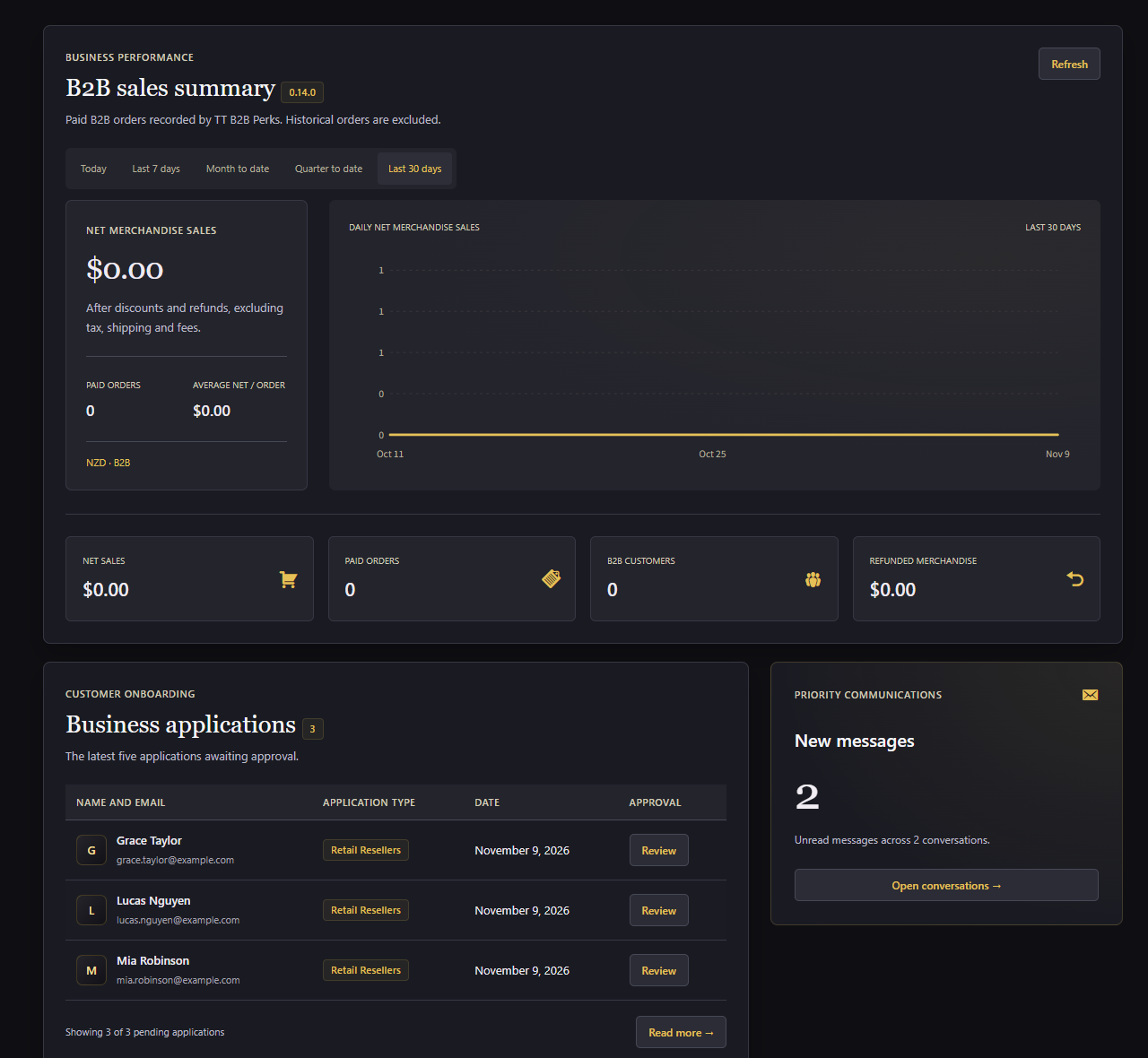
B2B sales summary
The top of the page shows Net merchandise sales, Paid orders and Average net / order, plus a daily sales chart for the selected period. Use the Quick periods links to switch the period; Refresh reloads the figures.
Sales are calculated as:
- paid B2B orders recorded by TT B2B Perks;
- after discounts and product refunds;
- excluding tax, shipping and fees;
- in your shop's currency and time zone.
Historical orders are not included. The plugin records each order's B2B Group when it is placed. Orders placed before the plugin was installed, or by customers who were not in a Group at the time, are not counted. The customer's own order history under Customer details still shows every order.
Business applications
The latest five applications awaiting approval, with name, email, application type and date. Select Review to open one, or Read more to see every pending application under Customers › Applications. See Reviewing applications.
New messages
Counts unread incoming conversation messages and links to the unread view of Conversations. Staff share the same read state, so a message read by one manager is read for everyone.