Customer directory
TT B2B Perks › Customers lists every customer with their Group, approval status, credit and spend. Open a customer to manage their membership, credit and documents.
The customer list
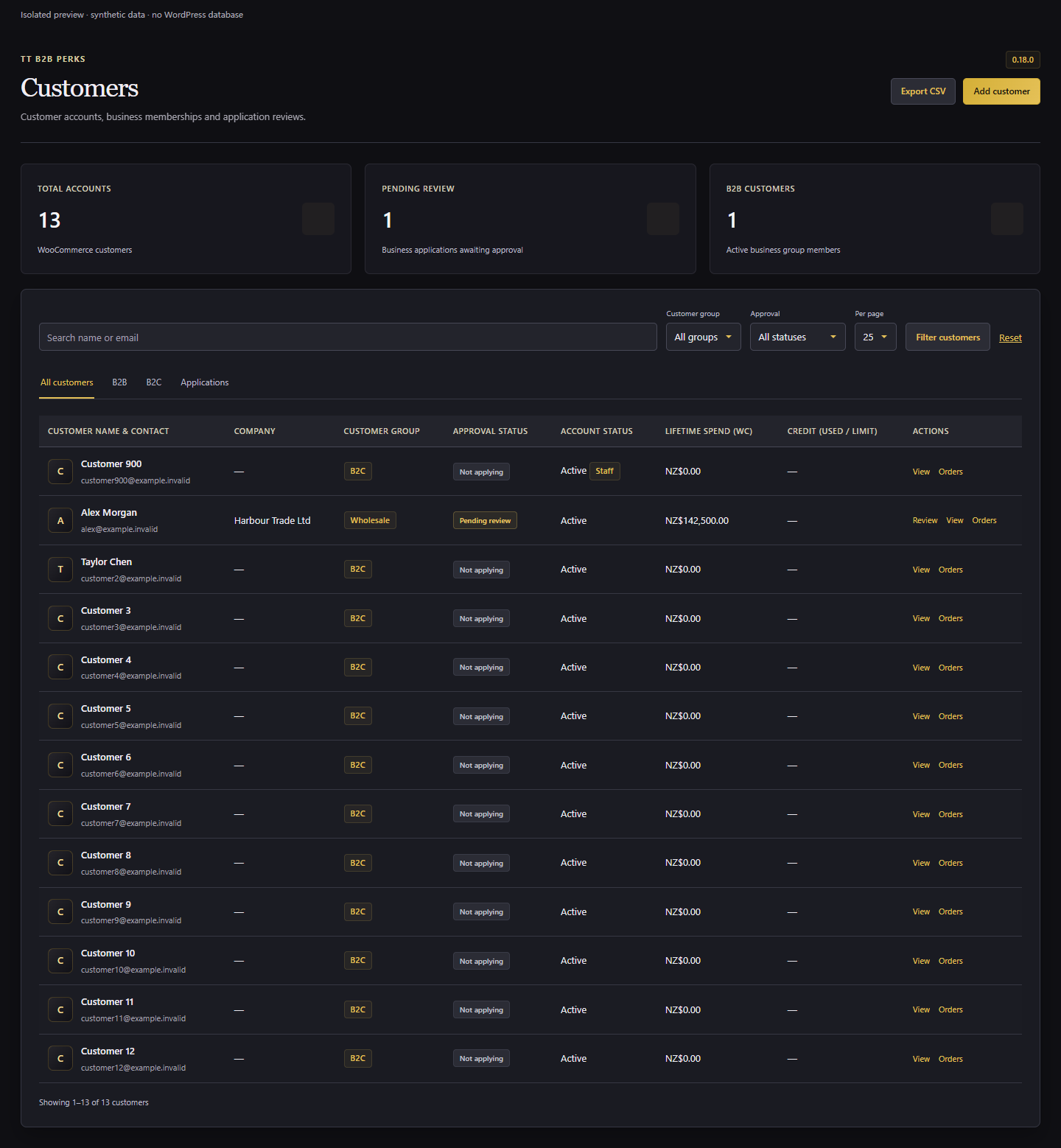
Each row shows the customer's name and contact, company, Group, approval and account status, credit used against the limit, WooCommerce lifetime spend and order count.
- Filter by Group and status, or search by name or email.
- Choose how many customers to show Per page.
- Export CSV downloads the currently filtered list.
- Add customer opens the customer creation dialog for staff with permission to create users.
Pending applications from people without an account appear at the top of the first page, marked Pending application. Selecting one opens the review popup; see Reviewing applications.
Administrators and shop managers appear with a Staff tag. They can be placed in a Group and given credit, for example to test prices.
Add a customer
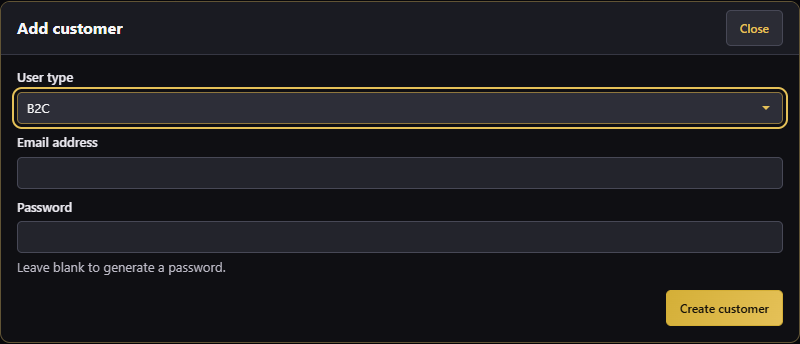
- Select Add customer and choose B2C or a published B2B user type.
- Enter the credentials and complete the published form. B2B always requires a login email and password.
- For B2B, keep Pending, choose Approved and an active Group, or choose Rejected and enter a reason. Pending and rejected B2B accounts cannot sign in.
- Select Create customer to open the new customer’s details.
Customer details
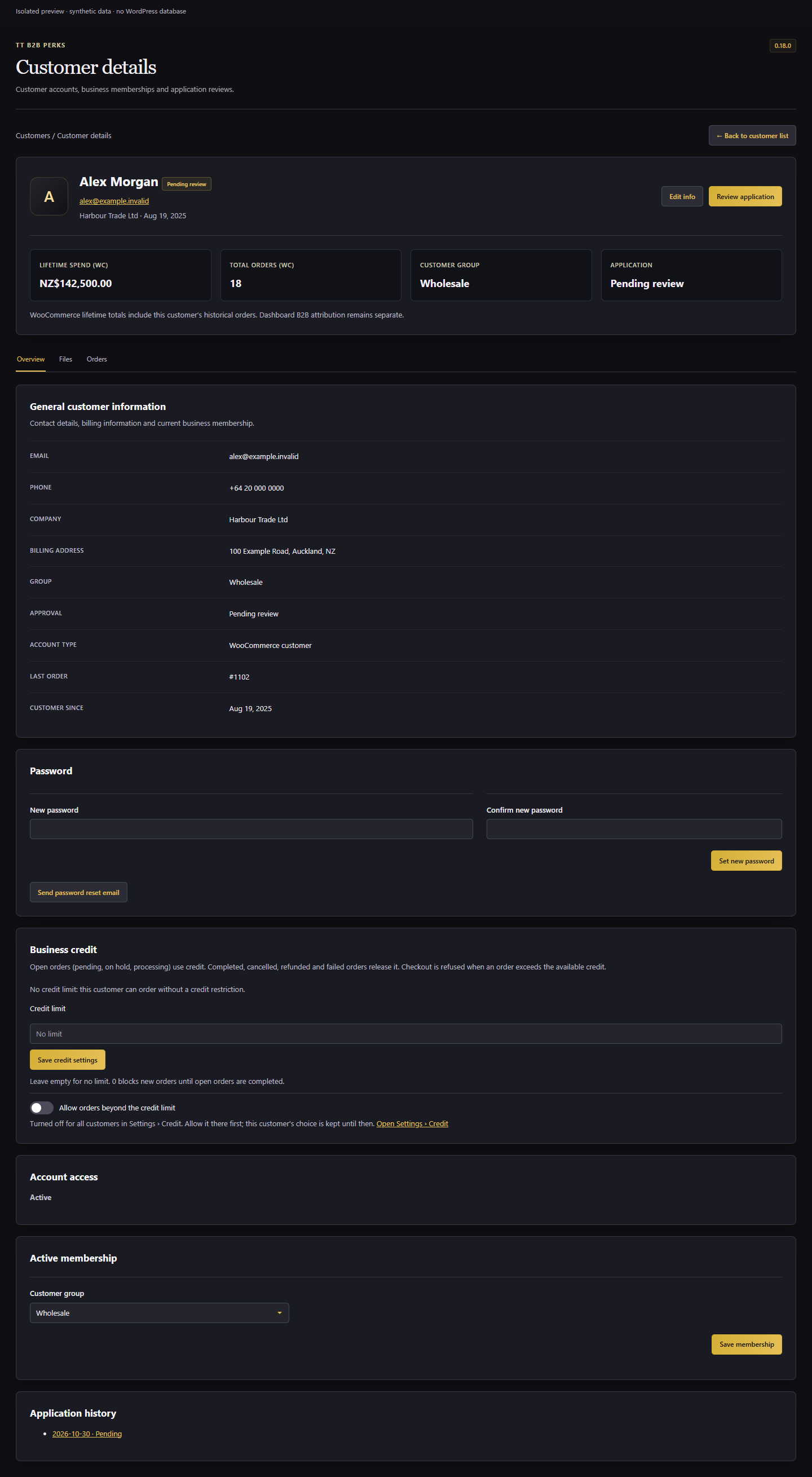
Select View to open a customer. The page has three tabs.
Overview
Contact and billing details, current Group membership and account access. Here you can:
- change the customer's Group;
- turn on Membership locked to keep the Group fixed;
- set Business credit;
- use Activate approved account if an approval was interrupted before the account was activated;
- see the fields the customer filled in on the B2C registration form, if any.
From the Password panel on Overview, staff who can edit the user can set a new password or send the WordPress password reset email. The current password is never displayed.
Files
Documents uploaded with the customer's applications, grouped by application. Files are private: only the customer and store managers can download them.
Orders
All of the customer's WooCommerce orders, including orders placed before they joined a Group, with a status filter.