Installation
TT WooCommerce Bundle Sales is a WooCommerce extension and needs no license.
Requirements
- WordPress 6.0 or later
- PHP 7.4 or later
- WooCommerce, active
- TT B2B Perks, optional, for customer Group visibility and Group discounts
- A theme that supports the standard WooCommerce product page layout, for automatic placement
Install the plugin
- Make sure WooCommerce is active.
- In wp-admin open Plugins › Add New › Upload Plugin, choose the zip file and click Install Now, then Activate.
- Open TT Bundle Sales › Settings and choose where offers appear.
- If you use TT B2B Perks, turn on TT B2B Perks compatibility.
- Create your first bundle.
Dashboard
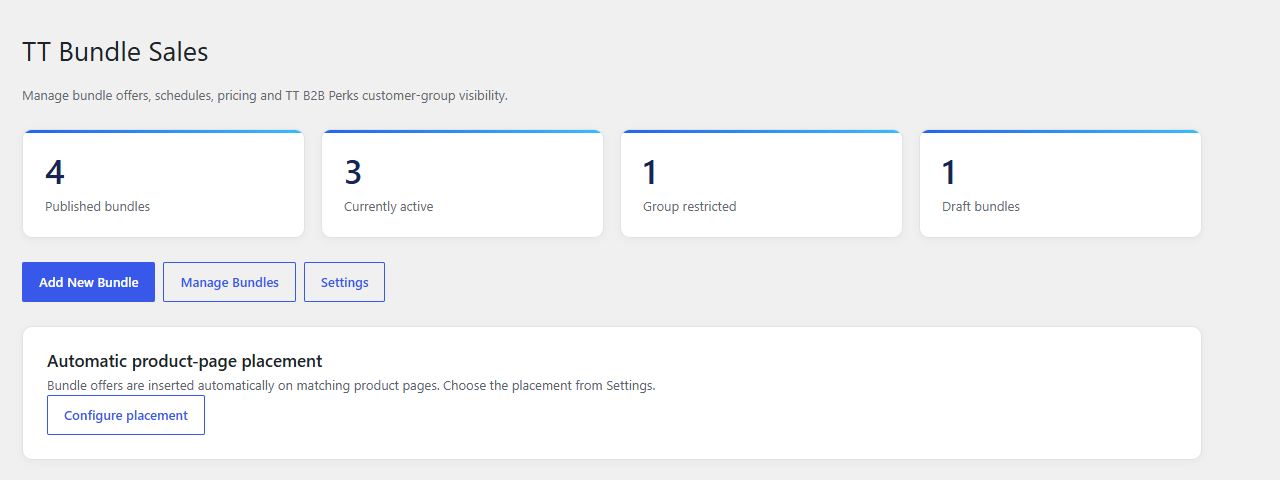
The Dashboard counts published bundles, bundles currently active, Group-restricted bundles and drafts, with shortcuts to add and manage bundles and to the placement settings.
Your data is kept
Deactivating or deleting the plugin does not remove bundles, settings, order details or the products linked to bundles.