Settings
Settings controls where offers appear, what happens after a bundle is added, and the TT B2B Perks mode.
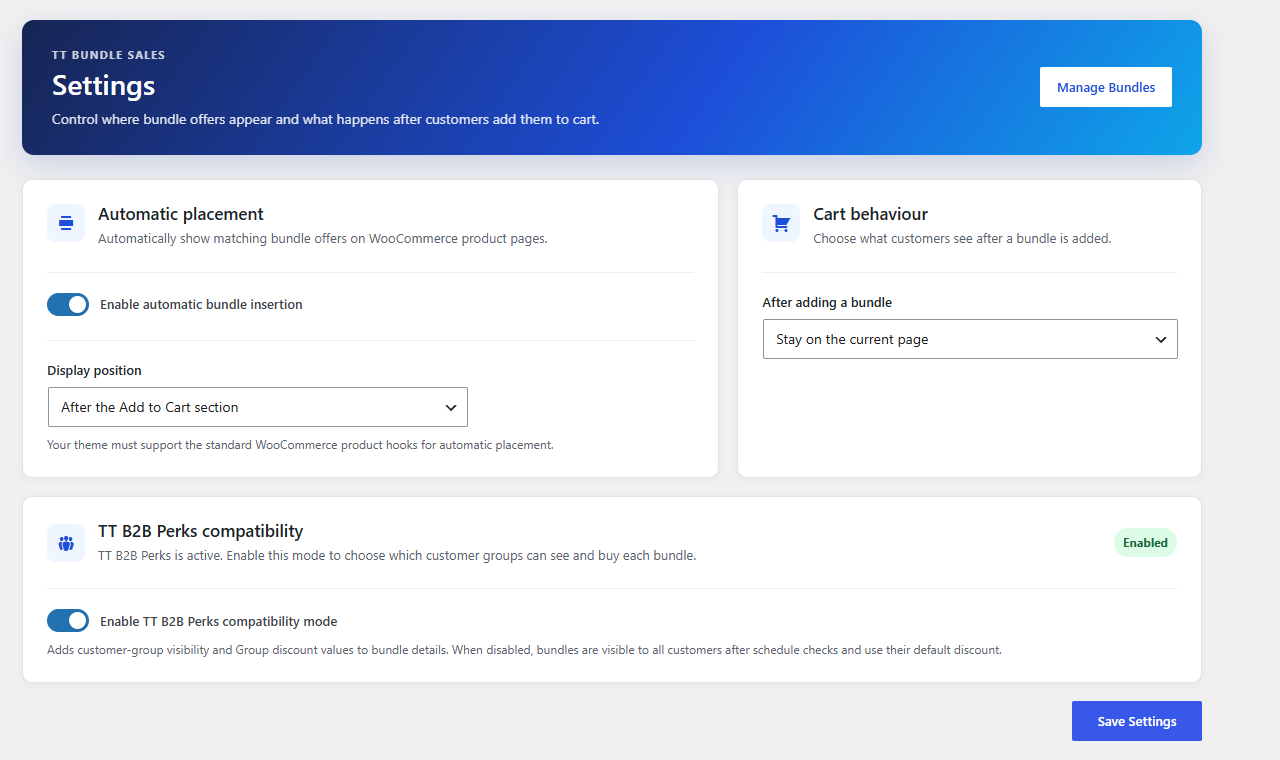
Automatic placement
Turn on Enable automatic bundle insertion and choose a Display position:
- Before the Add to Cart section
- After the Add to Cart section (default)
- After product meta
- Before product tabs
- After product tabs
Your theme must support the standard WooCommerce product page hooks for automatic placement.
Cart behaviour
After adding a bundle: Stay on the current page (default), Go to cart, Go to checkout or Refresh the current page.
TT B2B Perks compatibility
The card shows whether TT B2B Perks is Detected, Enabled or Not installed. Turn on Enable TT B2B Perks compatibility mode to add customer Group visibility and Group discount values to each bundle. Activate TT B2B Perks first.
Click Save Settings.