询价设置 Basic
开启询价后,每个目录商品都会提供询价表单和 Add to enquiry list 按钮。
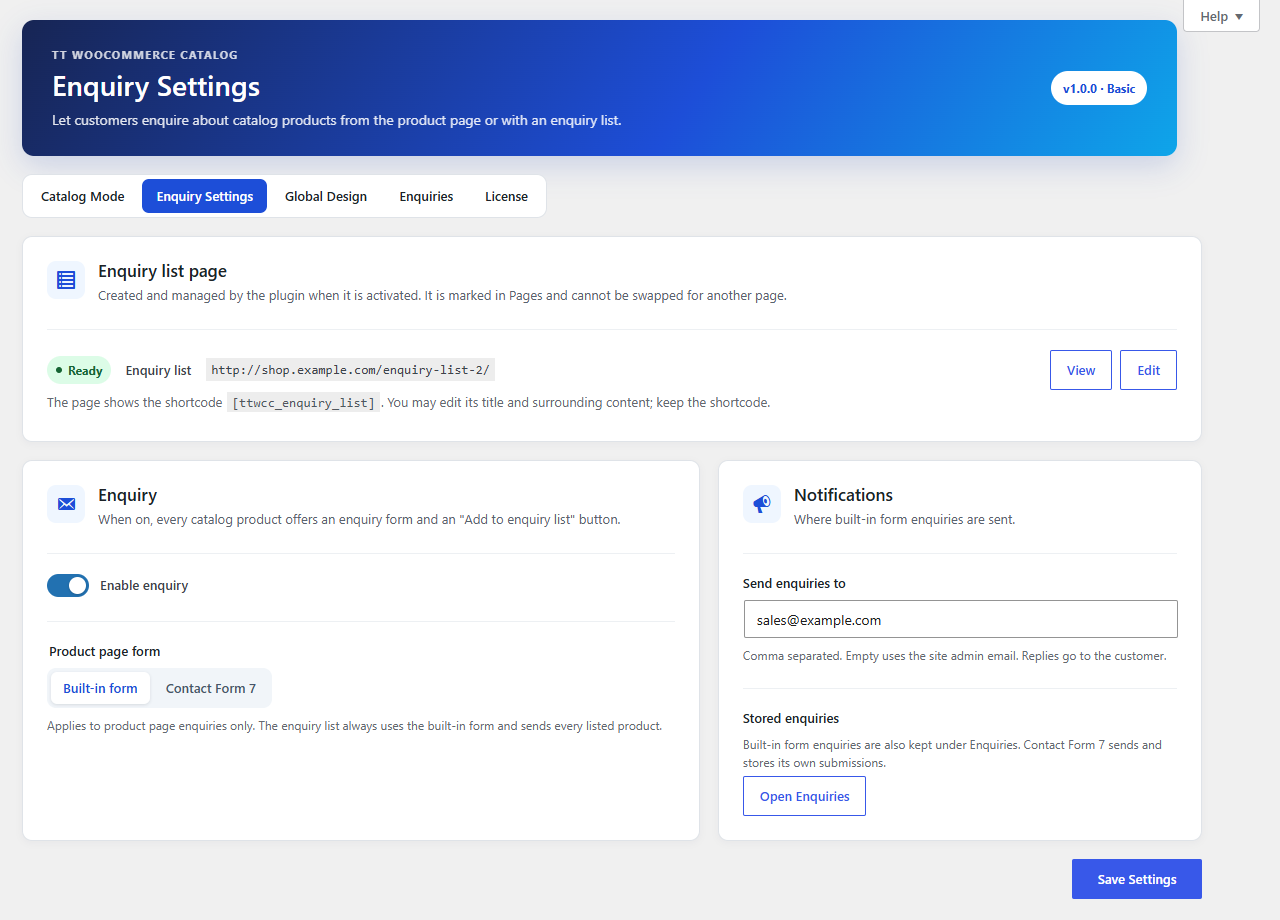
询价清单页
插件会创建并管理客户查看和发送询价清单的页面。卡片显示 Ready 并提供查看、编辑链接;如果页面被删除、移到回收站或取消发布,则显示 Missing。点击 Regenerate enquiry list page 可重新创建。
页面包含短代码 [ttwcc_enquiry_list]。你可以修改标题、在其周围添加内容,但请保留短代码。不能换成其他页面。
询价
- 打开 Enable enquiry。
- Product page form:Built-in form 或 Contact Form 7。这只影响商品页询价;询价清单始终使用内置表单,并发送清单中的所有商品。
Contact Form 7 模式
- 确认 Contact Form 7 已启用,并创建一个询价表单。
- 添加一个 class 为
ttwcc-product-info的字段,例如[hidden product-info class:ttwcc-product-info]。 - 在邮件正文中使用它,例如
[product-info],插件会自动填入商品信息。 - 把表单短代码粘贴到 Contact Form 7 shortcode 并保存。卡片会提示 “Form found and the product field is in place.”,或说明缺少什么。
Contact Form 7 自行发送和保存提交内容,不会出现在 Enquiries 中。
通知
Send enquiries to:一个或多个地址,用逗号分隔。留空使用站点管理员邮箱。回复会发给客户。内置表单的询价也会保存在 Enquiries 中。