客户询价 Basic
客户可以在商品页对单个商品询价,也可以把多个商品加入询价清单后一起发送。
对单个商品询价
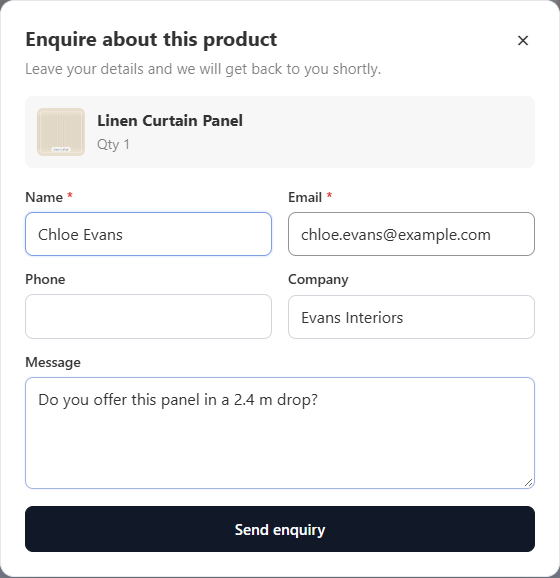
- 客户选择数量,点击 Enquire now。
- 表单在弹窗中打开,显示商品和数量,以及姓名、邮箱(必填)、电话、公司和留言。
- 点击 Send enquiry。询价会发送到你的邮箱,并保存在 Enquiries 中。
没有 JavaScript 时,表单直接在页面内展开而不是弹窗。商品信息始终从你的商店读取,而不是由浏览器提供。
询价清单
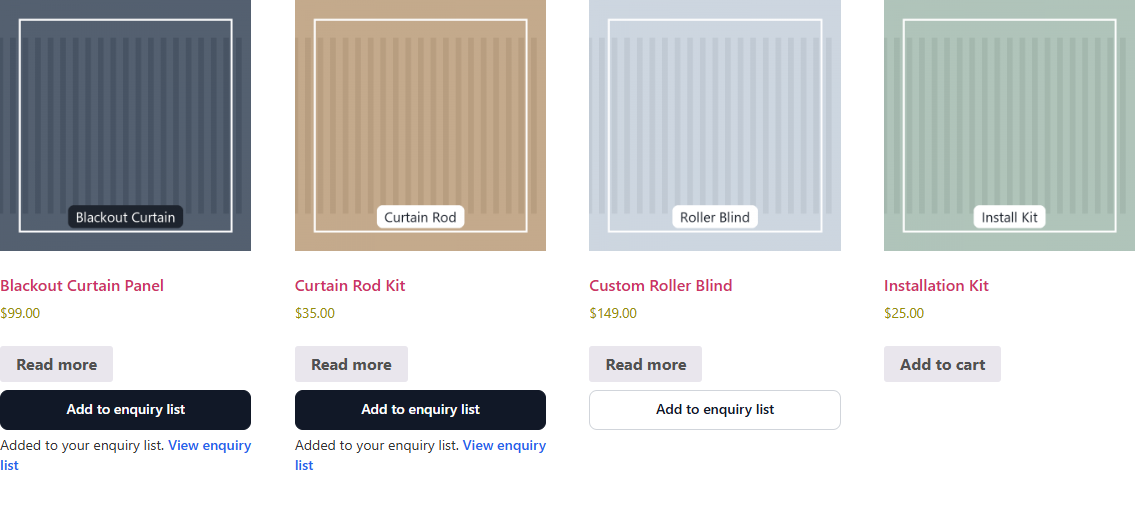
客户在商品卡片或商品页点击 Add to enquiry list,每次加入都会提示 “Added to your enquiry list.” 并附清单链接。一次访问中清单最多可放 50 个商品。
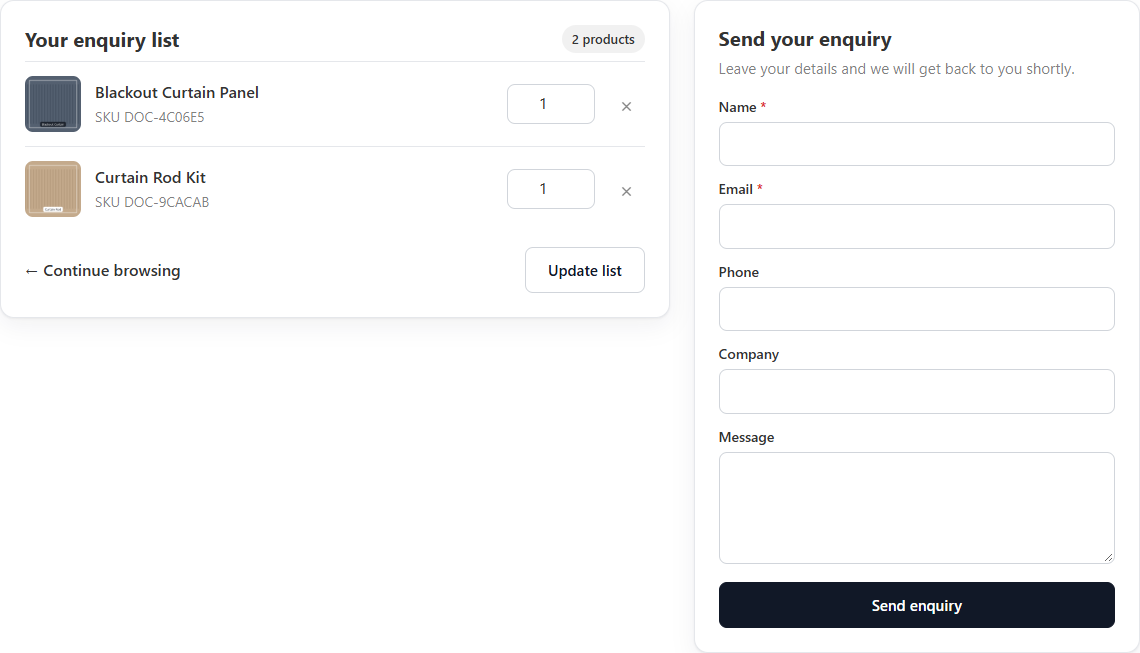
在询价清单页,客户可以修改数量、移除商品、点击 Update list,然后填写联系信息并点击 Send enquiry。
查看询价
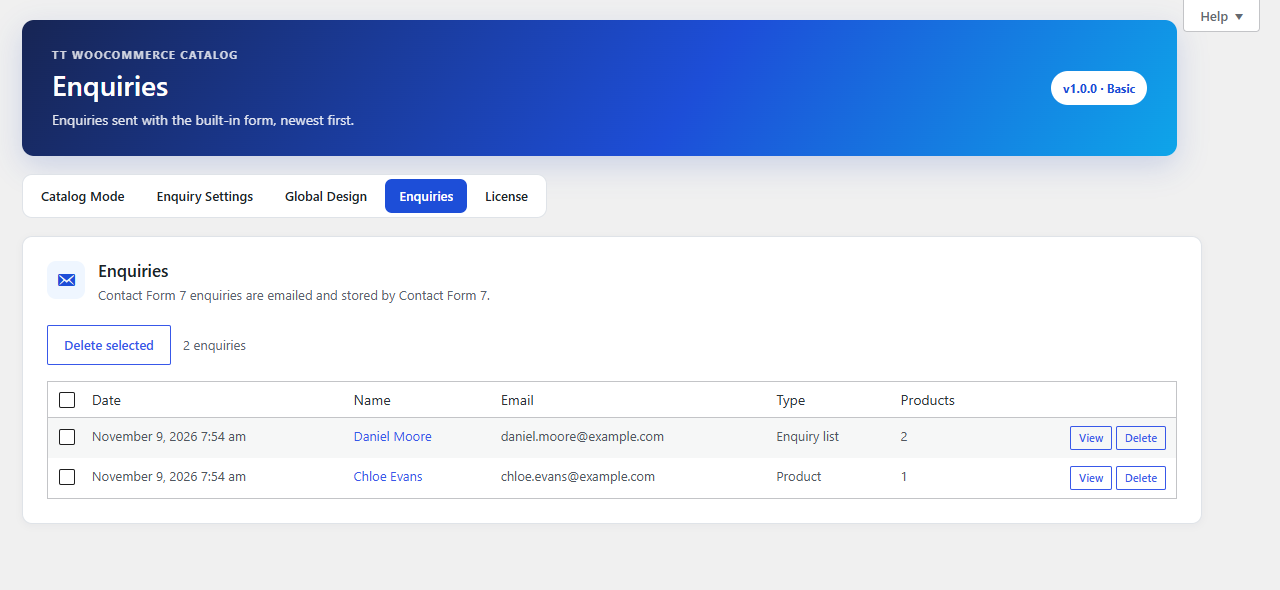
Enquiries 标签页按时间倒序列出内置表单的询价,显示日期、姓名、邮箱、类型(Product 或 Enquiry list)和商品数量。点击 View 打开详情。
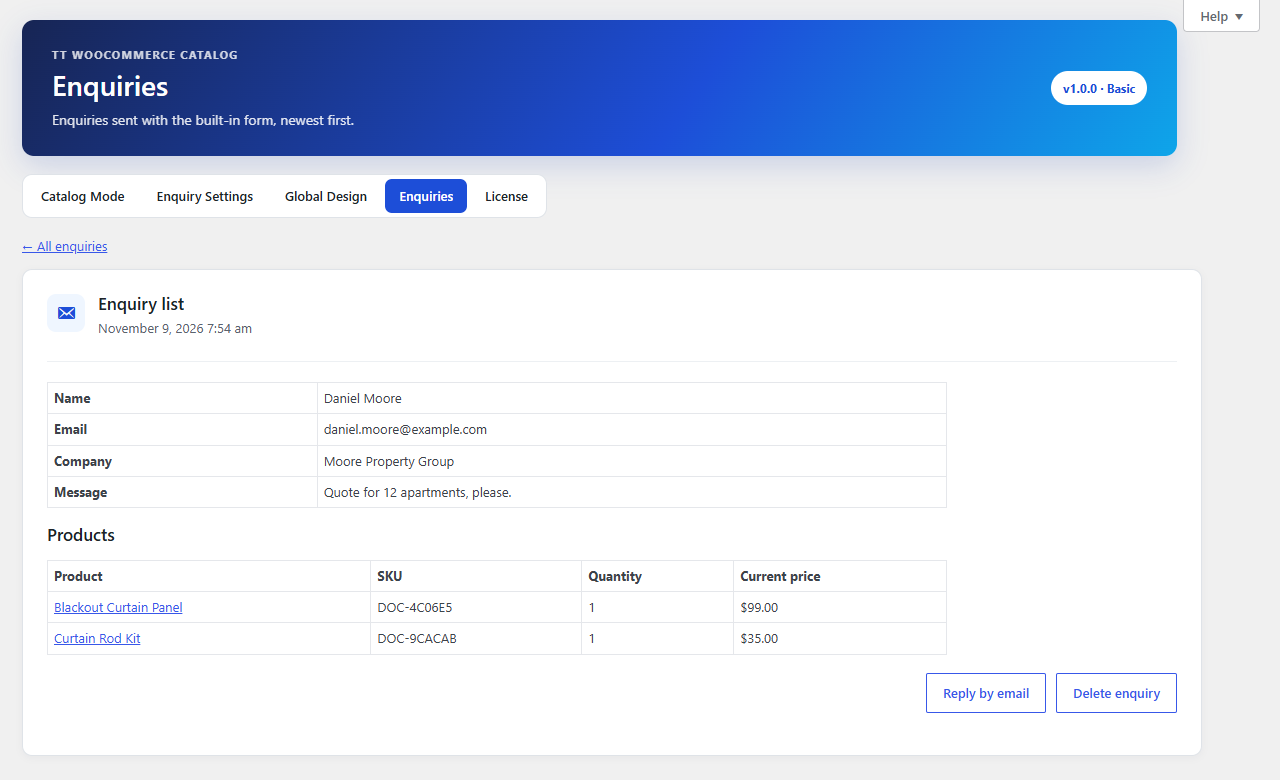
详情显示客户姓名、邮箱、公司和留言,以及每个商品的 SKU、数量和当前价格。用 Reply by email 回复,或 Delete enquiry 删除。在列表中可以勾选多条后点击 Delete selected。删除是永久的。