设置
Settings 控制优惠显示的位置、加入套装后的行为以及 TT B2B Perks 模式。
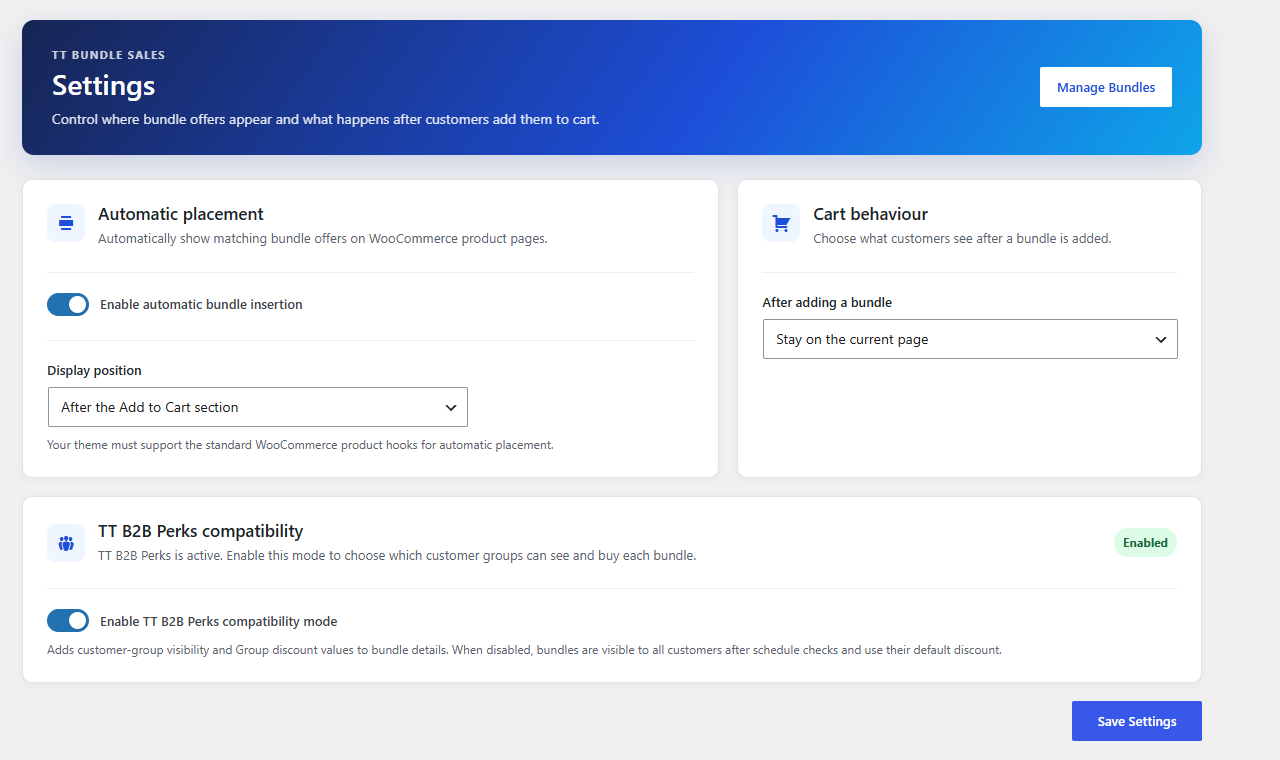
Automatic placement
打开 Enable automatic bundle insertion,选择 Display position:
- Before the Add to Cart section
- After the Add to Cart section(默认)
- After product meta
- Before product tabs
- After product tabs
自动放置需要主题支持标准的 WooCommerce 商品页钩子。
Cart behaviour
After adding a bundle:Stay on the current page(默认)、Go to cart、Go to checkout 或 Refresh the current page。
TT B2B Perks compatibility
卡片显示 TT B2B Perks 的状态:Detected、Enabled 或 Not installed。打开 Enable TT B2B Perks compatibility mode,每个套装会增加客户 Group 可见性和 Group 折扣值。请先启用 TT B2B Perks。
点击 Save Settings。