客户 Group 与 Group 折扣
配合 TT B2B Perks,套装可以只向指定的客户 Group 显示,每个 Group 也可以有自己的折扣值。
开始之前
启用 TT B2B Perks,并在 Settings 中打开 Enable TT B2B Perks compatibility mode。未开启时,套装(通过排期检查后)对所有人可见,并使用默认折扣。
Customer Group Visibility
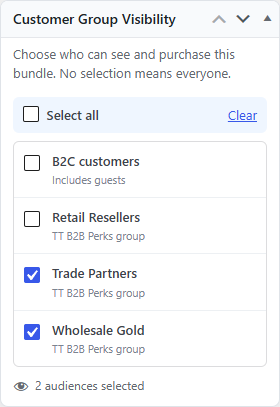
在套装编辑器中,Customer Group Visibility 面板列出 B2C customers(包括访客)和所有 TT B2B Perks Group。勾选可以查看和购买该套装的对象;列表较长时可用 Select all 和 Clear。不勾选任何项表示所有人可见。
Group 折扣
在 Bundle Pricing & Schedule 中打开 Group discounts,为任意 Group 填写折扣值。该值沿用上方的折扣类型。
- 有折扣值的 Group 成员享受该折扣。
- 留空的 Group、B2C 客户和访客使用默认折扣值。
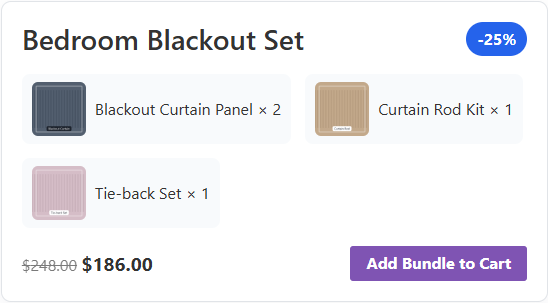
与 TT B2B Perks 价格的关系
- 套装不会再被 TT B2B Perks 的 Group 价格或 Dynamic Discount 规则二次打折。
- 只有当套装中每个商品都对该客户可见时(包括 TT B2B Perks 商品可见性),套装才会显示。