Enquiry Settings Basic
When enquiry is on, every catalog product offers an enquiry form and an Add to enquiry list button.
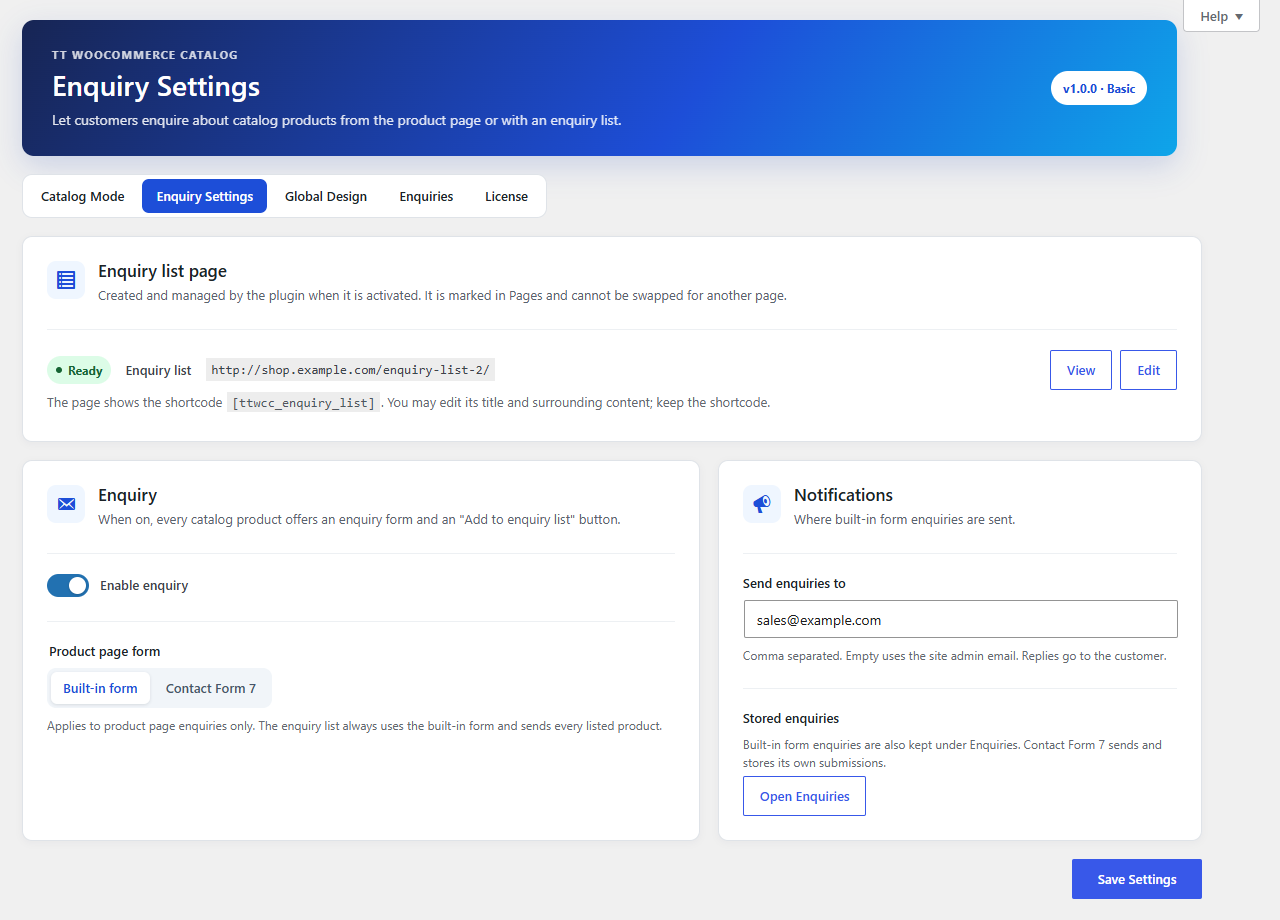
Enquiry list page
The plugin creates and manages the page where customers review and send their enquiry list. The card shows Ready with links to view or edit the page, or Missing if it was deleted, trashed or unpublished. Click Regenerate enquiry list page to create it again.
The page contains the shortcode [ttwcc_enquiry_list]. You may change its title and add content around it; keep the shortcode. It cannot be swapped for another page.
Enquiry
- Switch on Enable enquiry.
- Product page form: Built-in form, or Contact Form 7. This applies to product page enquiries only; the enquiry list always uses the built-in form and sends every listed product.
Contact Form 7 mode
- Make sure Contact Form 7 is active and create a form for enquiries.
- Add a field with the class
ttwcc-product-info, for example[hidden product-info class:ttwcc-product-info]. - Use it in the mail body, for example
[product-info]. The plugin fills it with the product details. - Paste the form's shortcode into Contact Form 7 shortcode and save. The card confirms "Form found and the product field is in place." or explains what is missing.
Contact Form 7 sends and stores its own submissions; they do not appear under Enquiries.
Notifications
Send enquiries to: one or more addresses, comma separated. Empty uses the site admin email. Replies go to the customer. Built-in form enquiries are also kept under Enquiries.