Enquiries from customers Basic
Customers can enquire about one product from its page, or collect several products in an enquiry list and send them together.
Enquire about one product
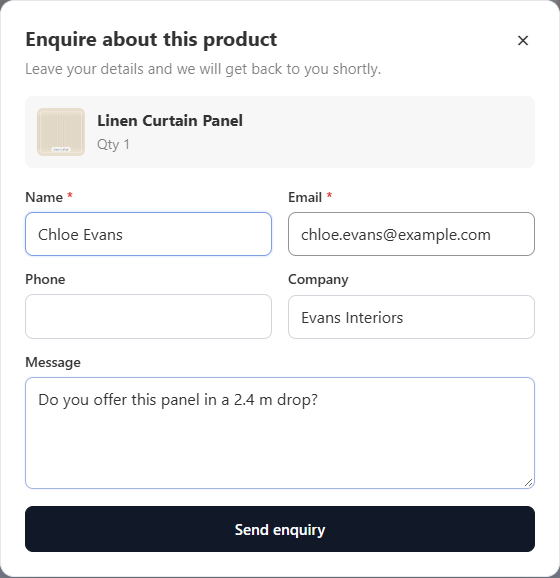
- The customer chooses a quantity and clicks Enquire now.
- The form opens in a dialog with the product and quantity, and fields for name and email (required), phone, company and message.
- They click Send enquiry. The enquiry is emailed to you and kept under Enquiries.
Without JavaScript the form opens inline on the page instead of in a dialog. Product details are always taken from your store, not from the browser.
The enquiry list
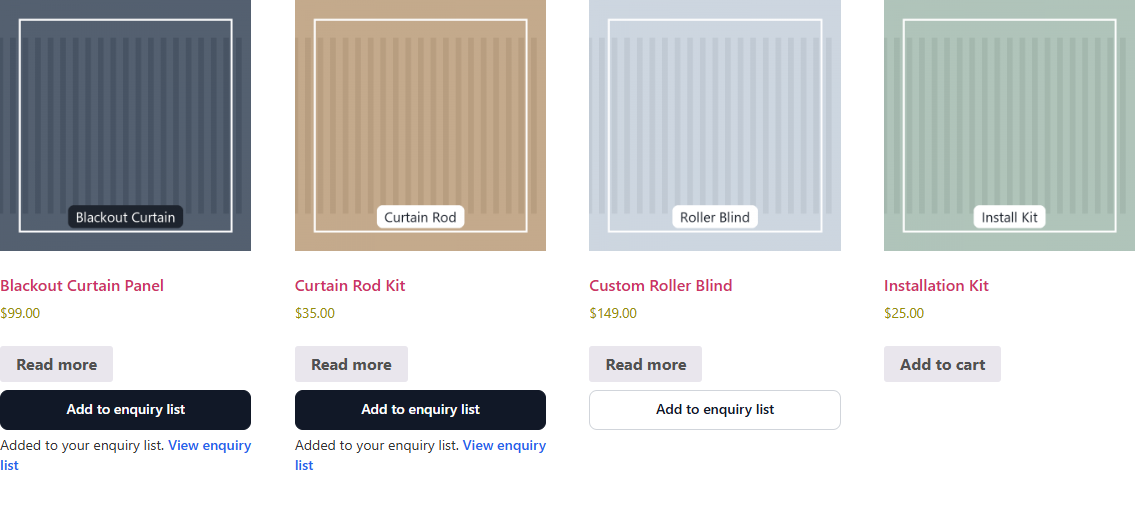
Customers click Add to enquiry list on product cards or product pages. Each addition confirms "Added to your enquiry list." with a link to the list. The list holds up to 50 products for the visit.
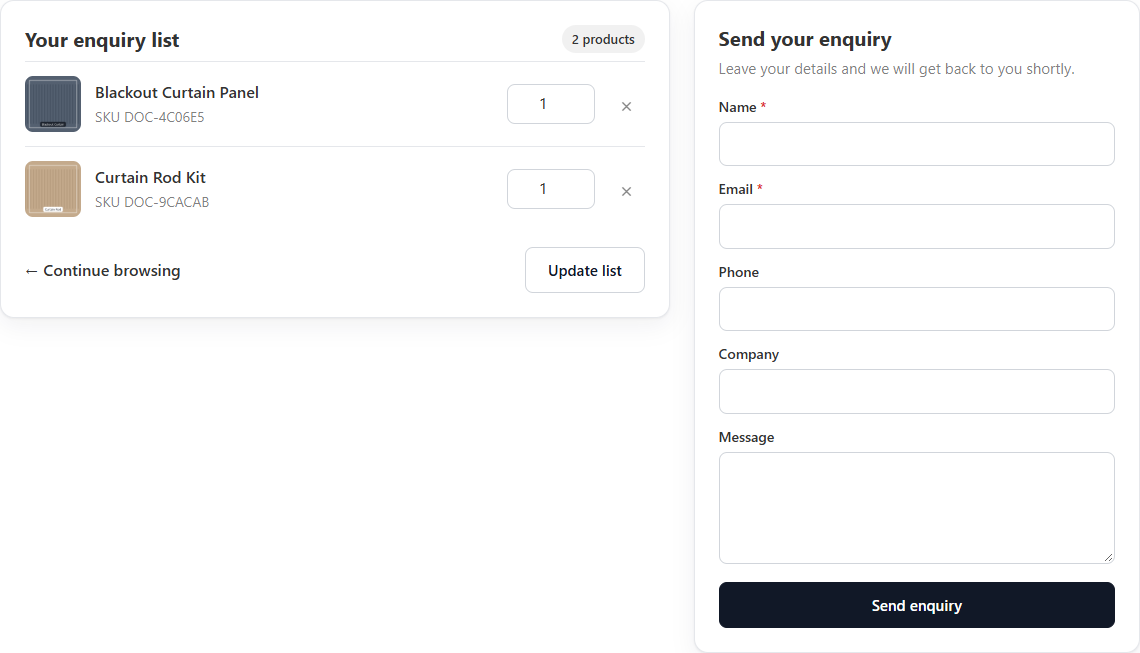
On the enquiry list page they can change quantities, remove products, Update list, then fill in their details and click Send enquiry.
Reading enquiries
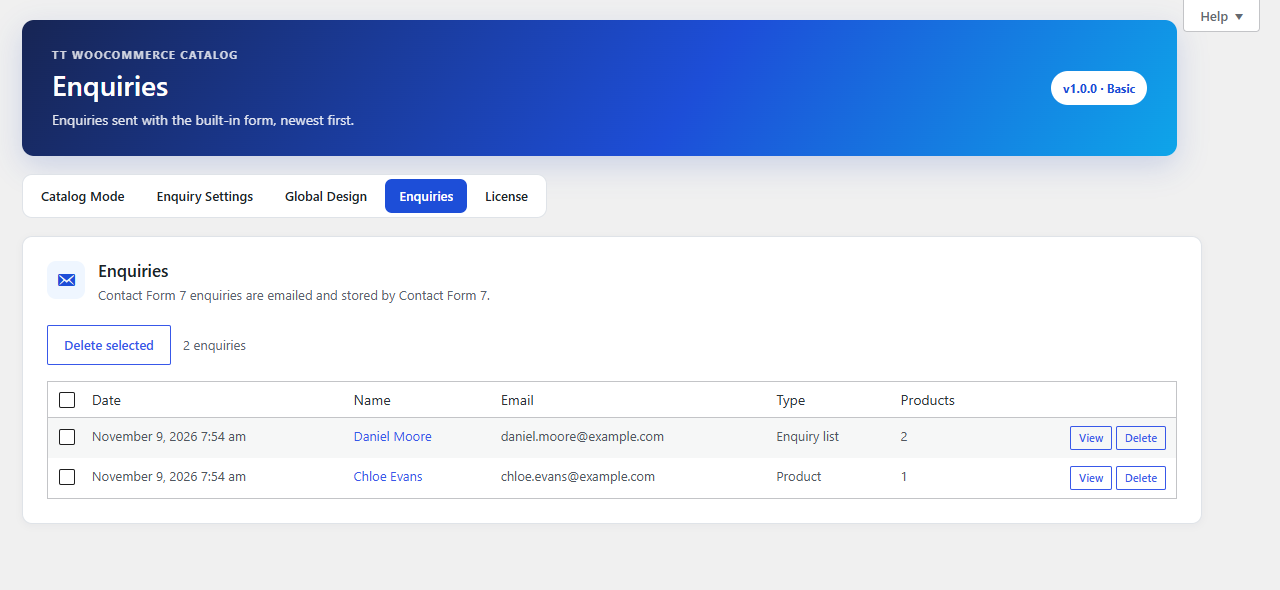
The Enquiries tab lists built-in form enquiries, newest first, with date, name, email, type (Product or Enquiry list) and the number of products. Click View to open one.
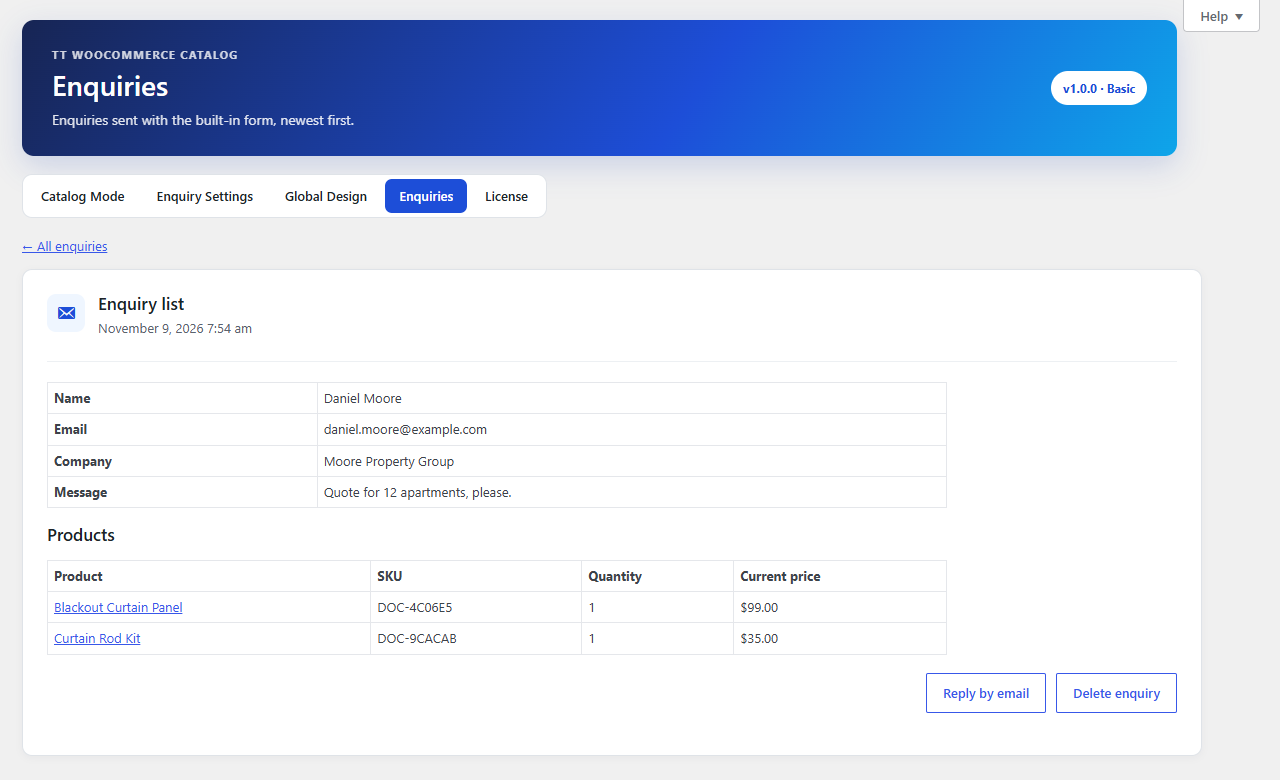
The details show the customer's name, email, company and message, and every product with SKU, quantity and current price. Use Reply by email to answer, or Delete enquiry. In the list you can select several enquiries and click Delete selected. Deleting is permanent.