Business application page
Businesses apply on a normal WordPress page that contains the application shortcode. The plugin creates one for you, or you can use your own.
The default page
On first setup the plugin creates a page with the slug b2b-register containing:
[ttb2b_business_apply]It is labelled TT B2B Perks in the Pages list. If the page is deleted, saving the business form recreates it. The plugin never overwrites the content of an existing page.
Use your own page
- Create a public, published page and add the
[ttb2b_business_apply]shortcode wherever the form should appear. - Open Settings › Business application page and select the page.
The selected page is where the Preview button in the form studio and the Business option on My Account sign-up send people.
Slug conflict. If another page already uses the b2b-register slug and you have not selected a page of your own, publishing and submissions are blocked until you resolve it. Rename the other page or select a page in Settings. The plugin never falls back to b2b-register-2.
What applicants see
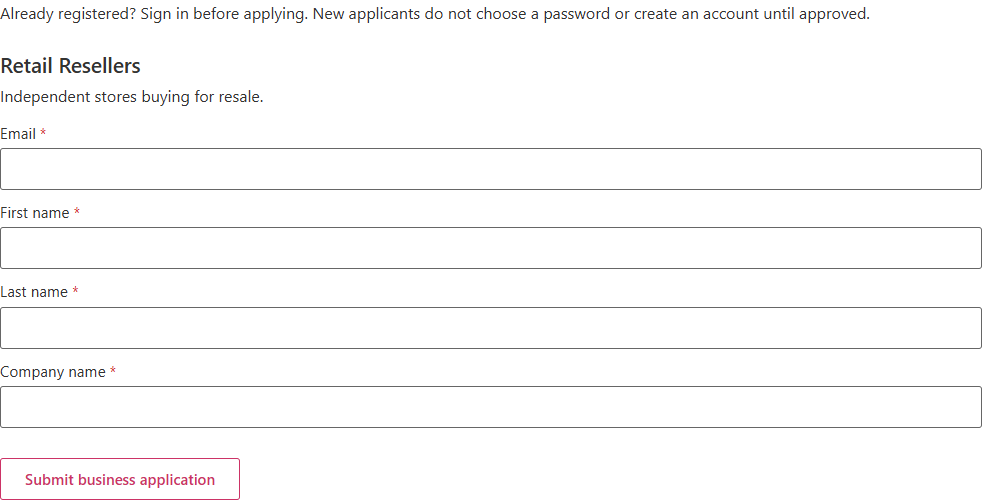
- The published B2B form, up to 1024 px wide.
- Required fields marked in red. Problems are listed in one popup on submit, without leaving the page.
- A confirmation once the application is received. No account exists until you approve it.
Signed-in customers apply to upgrade their existing account. Other signed-in non-customer accounts see the form as view-only, except store managers, who can submit on behalf of an applicant.