Hide prices & add to cart
Turn the shop into a catalogue for chosen customers. They still see the products, but no prices, and they cannot buy.
Available from version 0.16.0, on every plan.
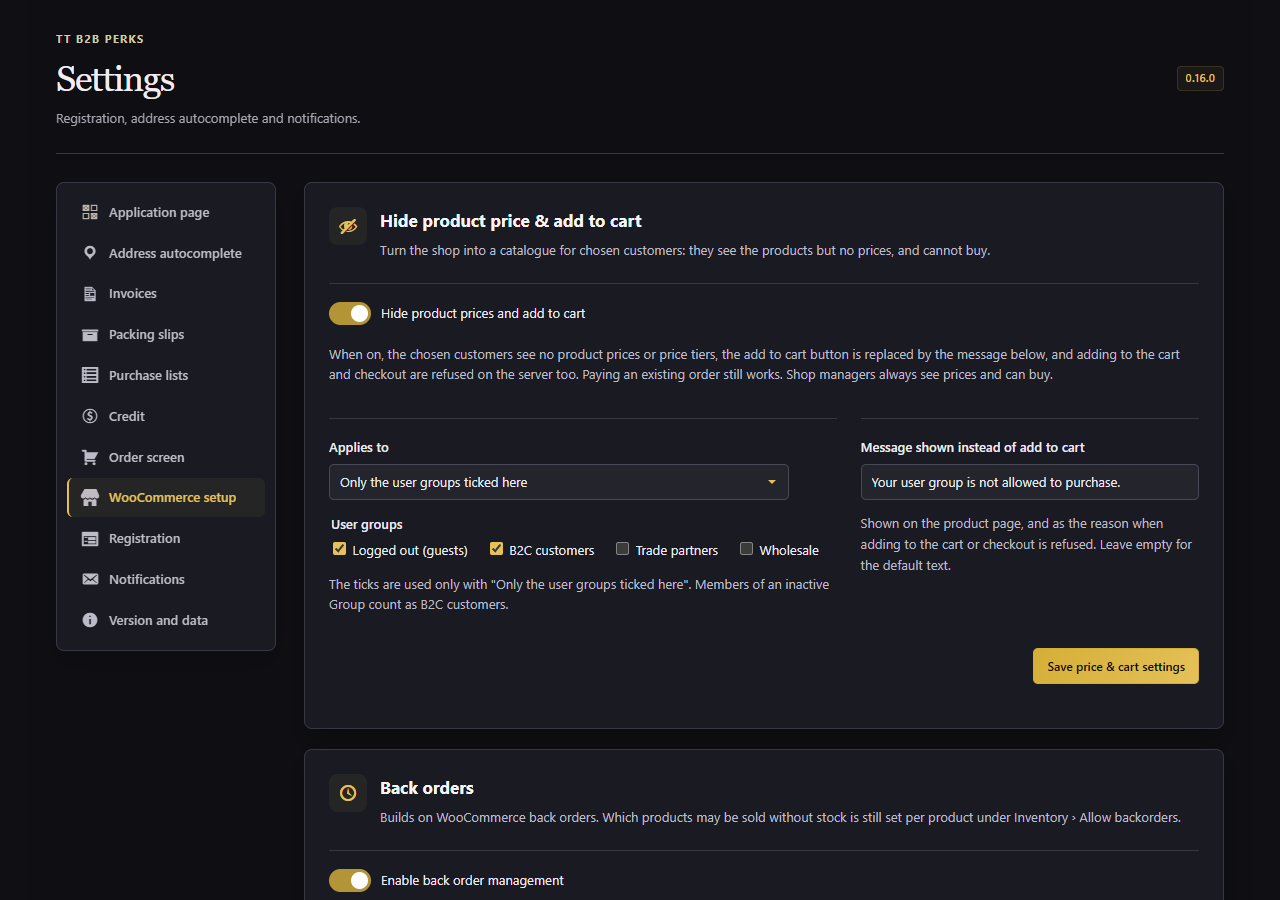
Turn it on
- Open Settings › WooCommerce setup.
- Turn on Hide product prices and add to cart.
- Under Applies to, choose All customers and visitors or Only the user groups ticked here, then tick the user groups: Logged out (guests), B2C customers and each of your Groups.
- Optionally change the Message shown instead of add to cart. Leave it empty to use the default text, "Your user group is not allowed to purchase."
- Click Save price & cart settings.
What the chosen customers see
- No product prices anywhere in the shop, and no price tier table.
- Your message in place of the add to cart button on product pages. Product cards in the shop show no button.
- If they try to add a product to the cart or to check out anyway, the shop refuses and shows the same message.
Customers can still pay an order that already exists, for example from a payment link you sent.
Who is never affected
- Shop managers and administrators always see prices and can buy.
- wp-admin: you keep seeing prices when you edit products and orders.
- Members of an inactive Group count as B2C customers, as everywhere else in the plugin.
Hide prices or hide products?
This setting keeps products visible and hides their prices for whole groups of customers. To hide individual products from some customers altogether, use Product visibility. The two can be used together.
A common setup: tick Logged out (guests) so visitors must sign in, or apply for a business account, before they see prices.