License plans
TT B2B Perks works without a license on the Free plan. A Basic or Advanced license unlocks more Groups and paid features.
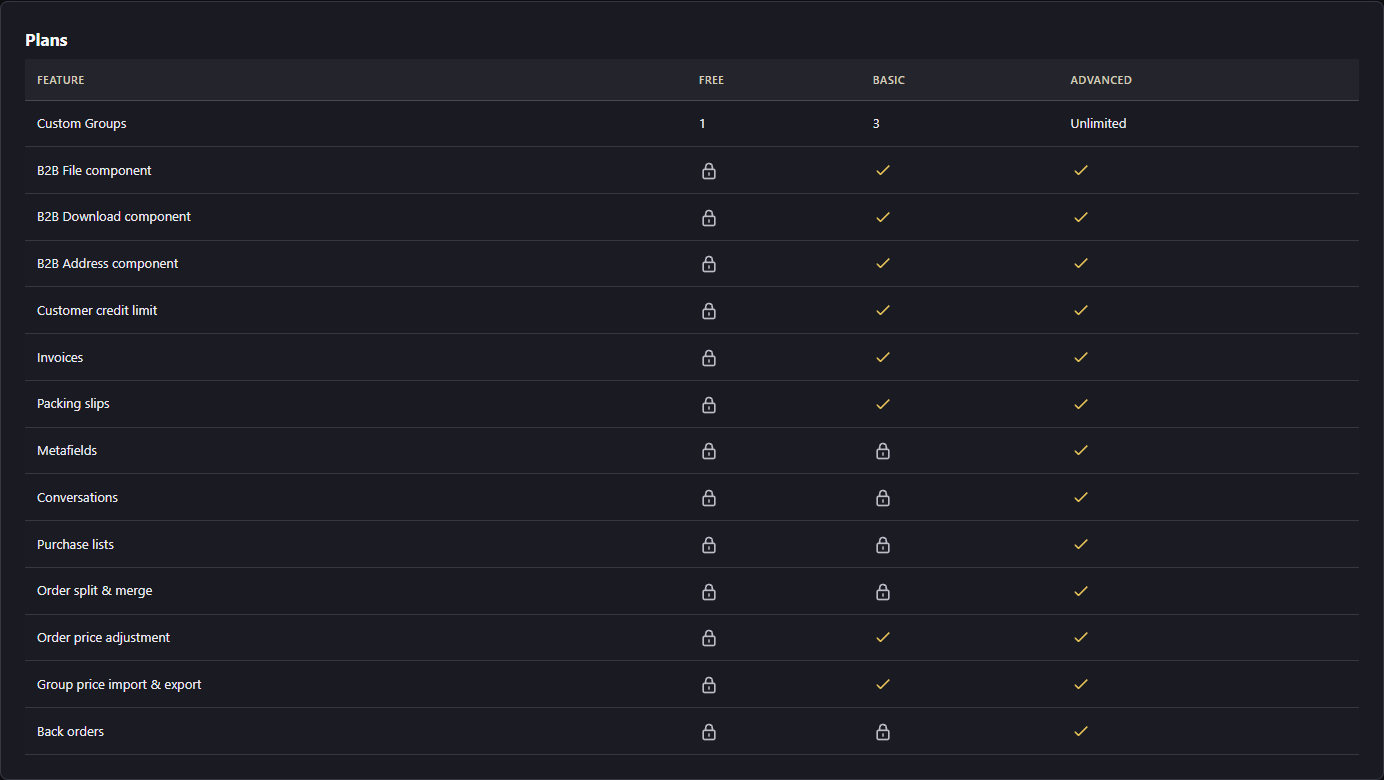
Compare plans
| Feature | Free | Basic | Advanced |
|---|---|---|---|
| Custom Groups | 1 | 3 | Unlimited |
| Applications, customers, Dashboard, Group prices, visibility, Dynamic Discount | Yes | Yes | Yes |
| File, Download and Address form components | — | Yes | Yes |
| Credit limits | — | Yes | Yes |
| Invoice and packing slip configuration | — | Yes | Yes |
| Metafields (editing, document columns and CSV) | — | — | Yes |
| Starting conversations | — | — | Yes |
| Order price adjustment | — | Yes | Yes |
| Group price import & export | — | Yes | Yes |
| Purchase lists | — | — | Yes |
| Order split & merge | — | — | Yes |
| Back orders | — | — | Yes |
The permanent B2C and Logged out audiences do not count toward the Group limit.
Activate a license
- Open TT B2B Perks › License.
- Paste your license key into the activation window and confirm.
- The page shows your plan, status, domain and expiry date.
A license is active on one domain at a time. Only administrators can activate or remove a key; shop managers can view the status.
A Local test license activates only on a local development domain. If activation is refused on a public domain, use that site's production license. If you moved a site, activate its license again on the new domain.
Locked features
Features outside your plan stay visible but disabled, with a lock icon and a link to the License page. The server also refuses those changes, so they cannot be made by other means.
When a license expires
If a license expires or cannot be validated, paid configuration is locked immediately. No data is deleted and running workflows keep working:
- Existing conversations can still be answered; starting new ones needs Advanced.
- Published form components, credit checks, issued documents and purchase lists keep working.
- Saved metafields stay readable. Editing them, including them in new PDFs, or transferring them through CSV requires an active Advanced plan.
- Editing locked components or document templates, or editing more Groups than the plan allows, needs an active plan again.