隐藏价格与加入购物车
对选定的客户把店铺变成产品目录。他们仍然能看到商品,但看不到价格,也不能购买。
自 0.16.0 版本起提供,所有套餐均可使用。
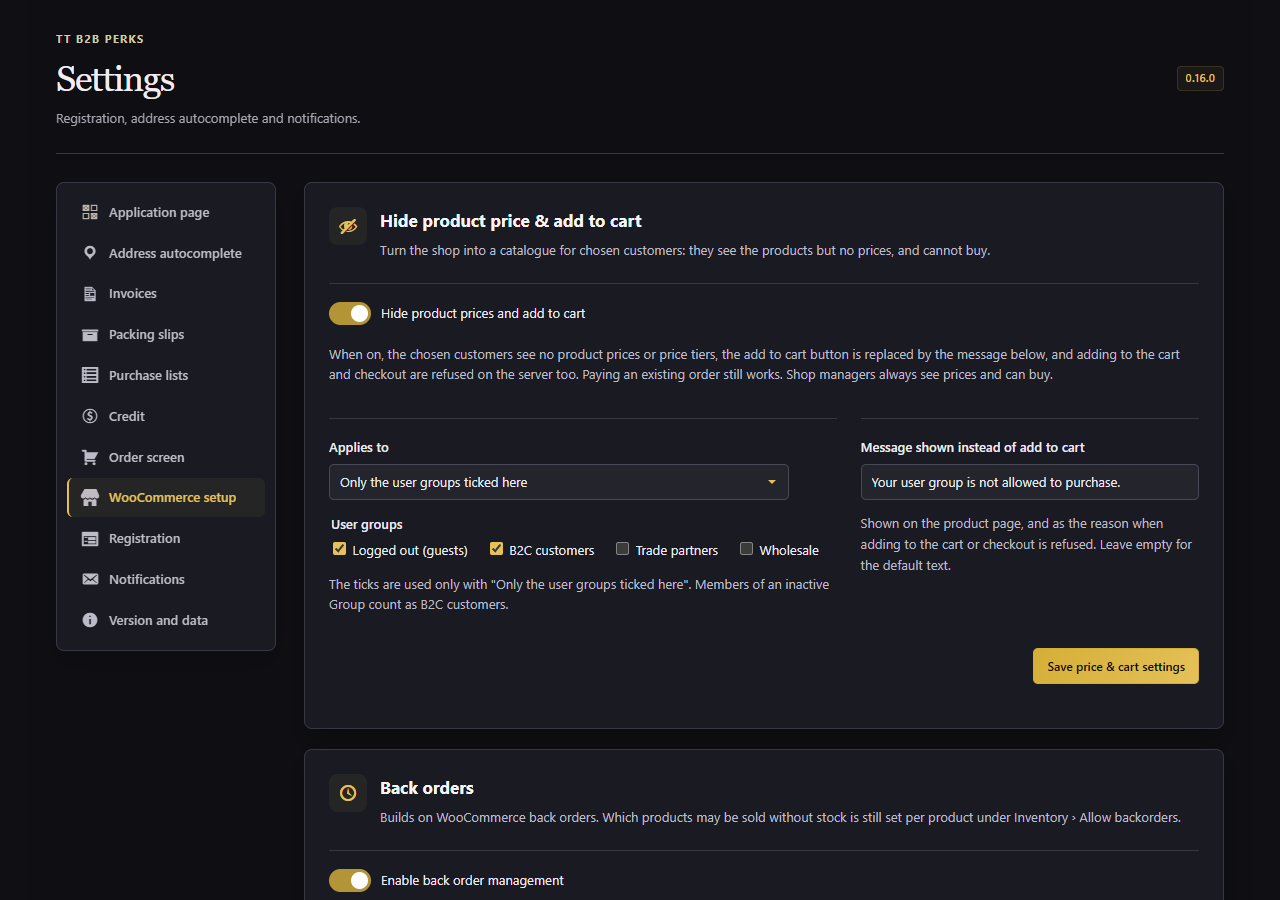
开启
- 打开 Settings › WooCommerce setup。
- 开启 Hide product prices and add to cart。
- 在 Applies to 下选择 All customers and visitors 或 Only the user groups ticked here,然后勾选用户组:Logged out (guests)、B2C customers 以及你的各个 Group。
- 可以修改 Message shown instead of add to cart。留空则使用默认文案 “Your user group is not allowed to purchase.”
- 点击 Save price & cart settings。
被选中的客户会看到什么
- 店铺里任何位置都不显示商品价格,也不显示阶梯价表。
- 商品页上,加入购物车按钮的位置显示你的文案;店铺列表里的商品卡片不显示按钮。
- 如果他们仍然尝试加入购物车或结账,店铺会拒绝并显示同一条文案。
客户仍然可以为已经存在的订单付款,例如通过你发送的付款链接。
哪些人不受影响
- 店铺管理员始终能看到价格并可以购买。
- wp-admin:你在编辑商品和订单时仍然能看到价格。
- 已停用 Group 的成员按 B2C 客户处理,与插件其他地方一致。
隐藏价格还是隐藏商品?
这个设置让商品保持可见,但对整组客户隐藏价格。如果要让某些客户完全看不到个别商品,请使用商品可见性。两者可以同时使用。
常见用法:勾选 Logged out (guests),访客必须登录或申请企业账户后才能看到价格。