Catalog Mode settings
The Catalog Mode tab shows the current status at the top and the settings below. Click Save Settings after changes.
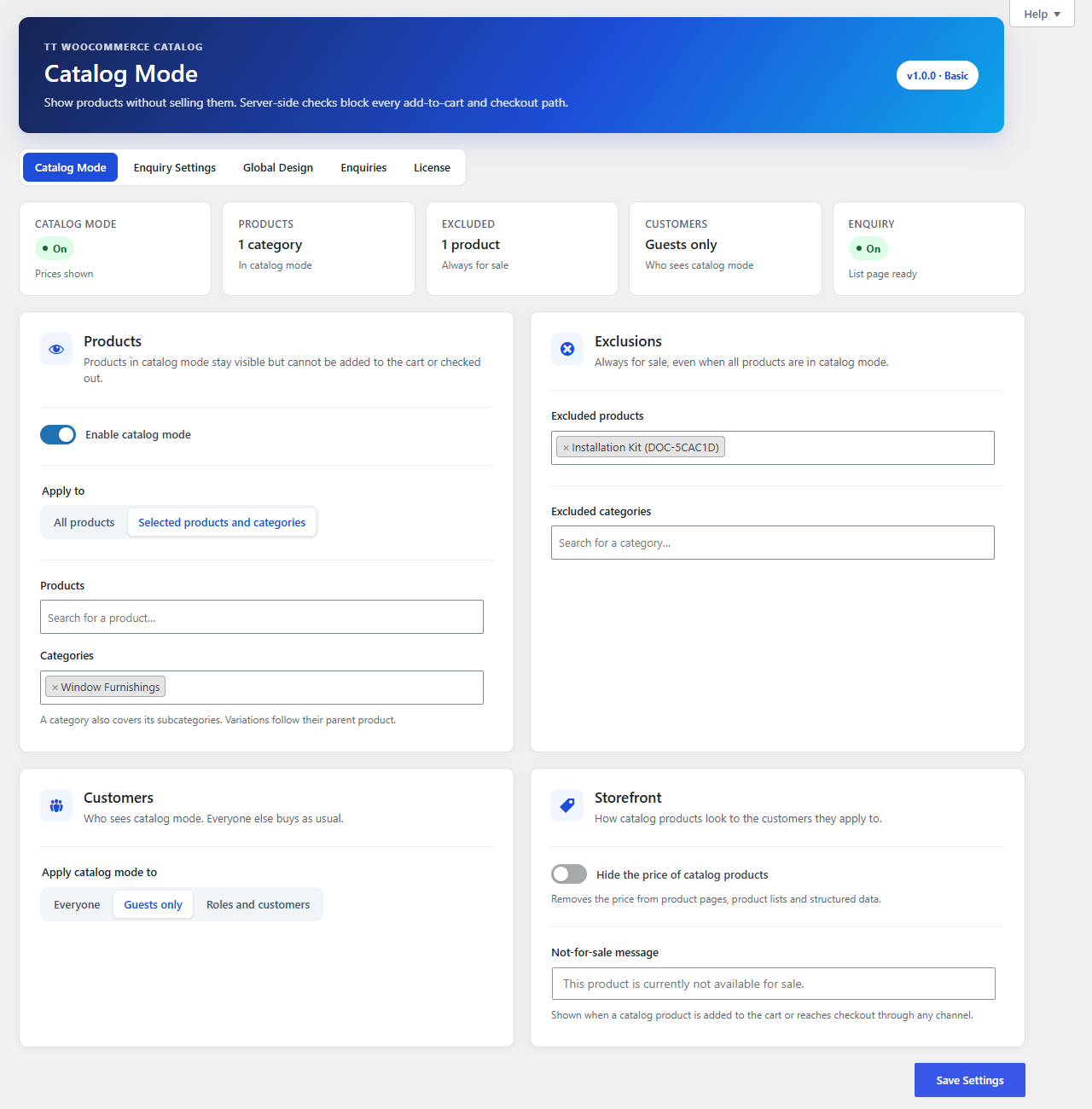
Status cards
At a glance: whether catalog mode is on and prices are shown or hidden, how many products or categories are in catalog mode, how many are excluded, who sees catalog mode, and whether enquiry is on and its list page is ready.
Products
- Switch on Enable catalog mode.
- Apply to: All products, or Selected products and categories.
- For selected scope, search and add Products and Categories. A category also covers its subcategories. Variations follow their parent product.
Exclusions
Excluded products and Excluded categories are always for sale, even when all products are in catalog mode. Use them for accessories or spare parts you still sell online.
Customers Basic
Apply catalog mode to:
- Everyone (available on every plan).
- Guests only: signed-in customers buy as usual. Useful for trade stores that show prices to the public but sell only to account holders.
- Roles and customers: applies to a signed-in customer who has one of the chosen roles or is listed by name.
Everyone else buys as usual. Without a Basic license, tick Reset to Everyone when saving to return a saved selection to Everyone.
Storefront
- Hide the price of catalog products: removes the price from product pages, product lists and the product data search engines read.
- Not-for-sale message: shown when a catalog product is added to the cart or reaches checkout through any channel. Default: "This product is currently not available for sale."