Customer Analytics
Customer Analytics merges the browsing of each registered customer across sessions. Guest traffic is excluded.
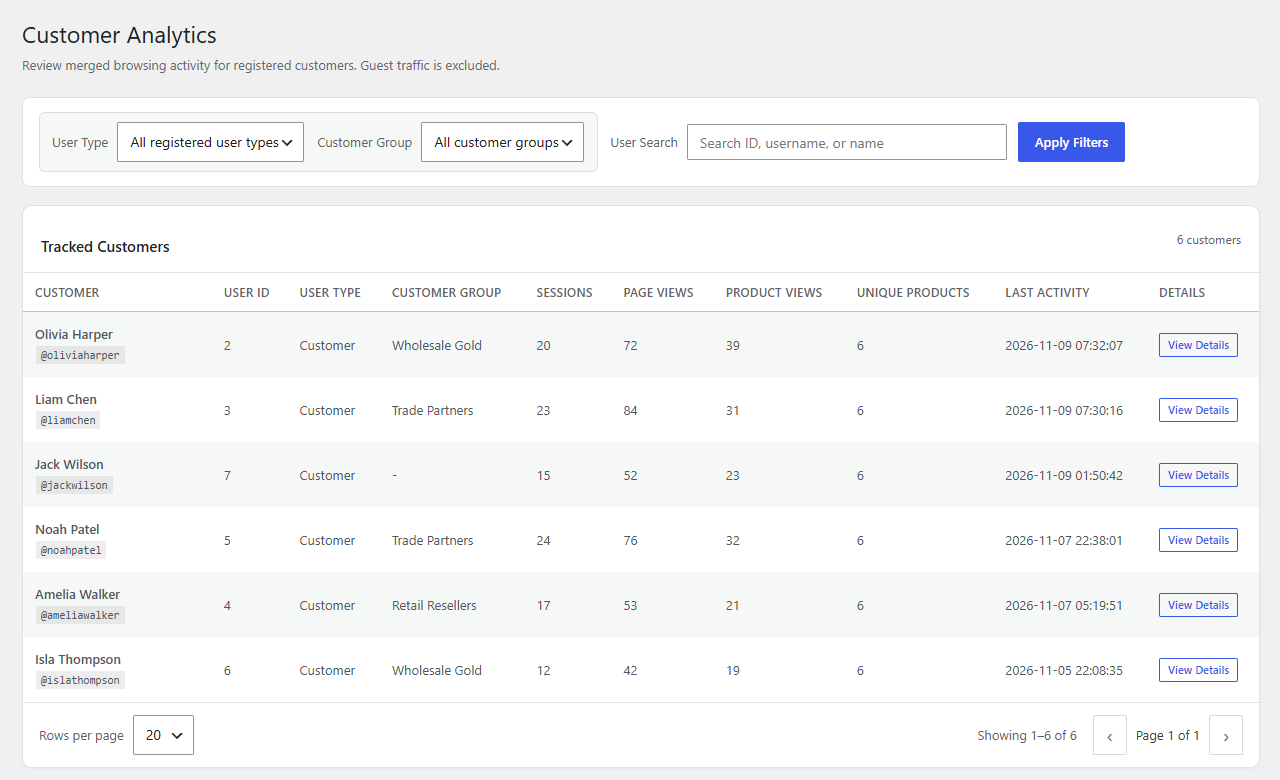
Filters
- User Type: one WordPress role, or all registered user types. The roles offered are chosen in Settings.
- User Search: search by ID, username or name.
Click Apply Filters.
Filter by customer Group
When TT B2B Perks is active and Enable TT B2B Perks Integration is ticked in Settings, a Customer Group filter and column appear, using each customer's current TT B2B Perks Group.
Tracked Customers
For each customer: user ID, user type, Group, number of sessions, page views, product views, unique products and last activity. Click View Details to open the customer.
Customer details
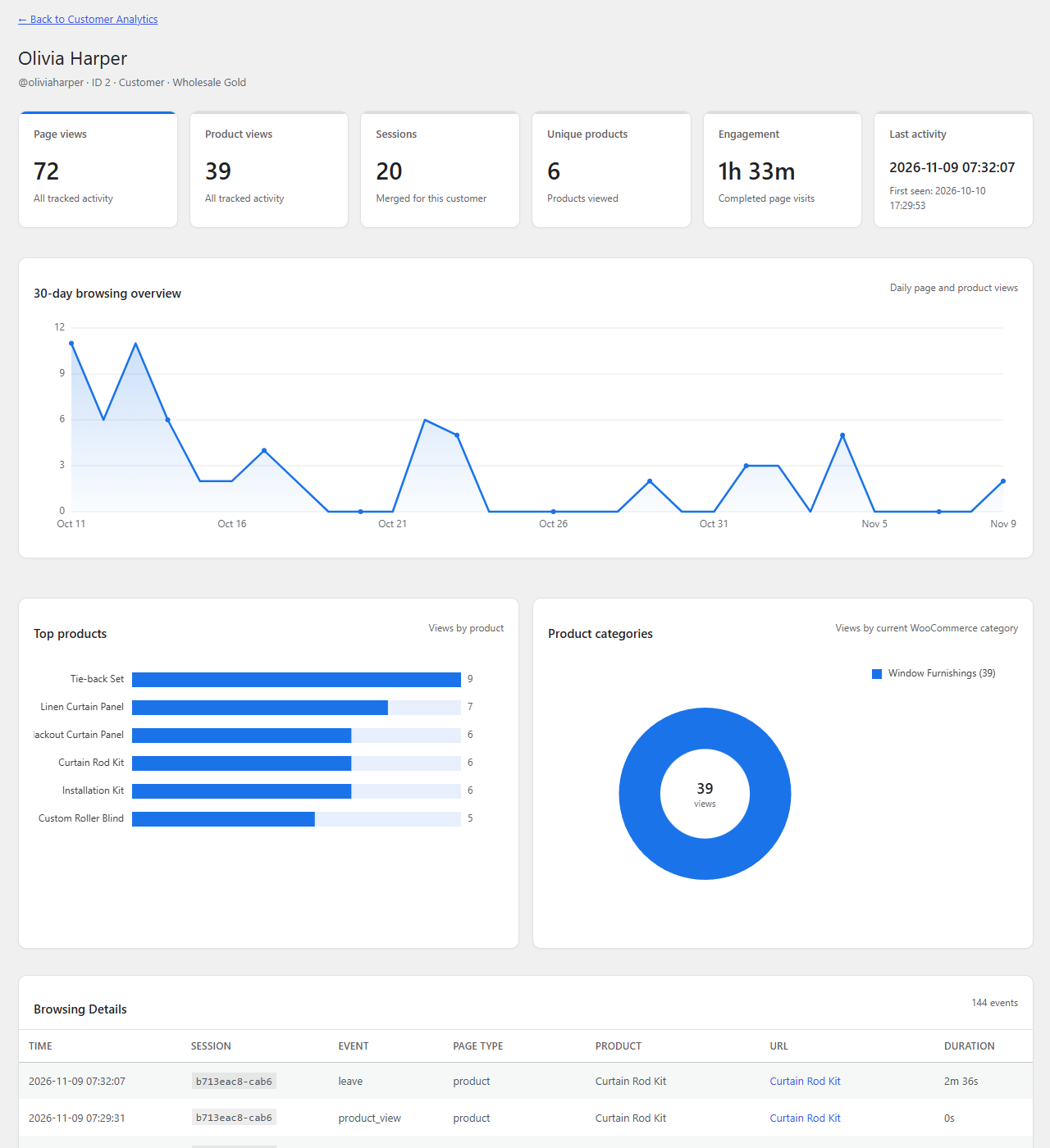
- Summary: page views, product views, sessions, unique products, total engagement time, last activity and first seen.
- 30-day browsing overview: daily page and product views.
- Top products and Product categories the customer viewed most.
- Browsing Details: every recorded event with time, session, event, page type, product, page link and duration.
Use Back to Customer Analytics to return to the list.