License plans
TT Flux Addon runs on the Free plan without a license. A Basic license unlocks popups, custom headers and footers, Site Verify and two interactive widgets.
Compare plans
| Feature | Free | Basic |
|---|---|---|
| All other TT Flux widgets and settings | Yes | Yes |
| Create and edit Popups; add TT Popup Btn widgets | — | Yes |
| Create and edit Header & Footer templates | — | Yes |
| Add new TT Earnings Estimator widgets | — | Yes |
| Turn on Site Verify in popups; add TT Site Verify Btn widgets | — | Yes |
Activate a license
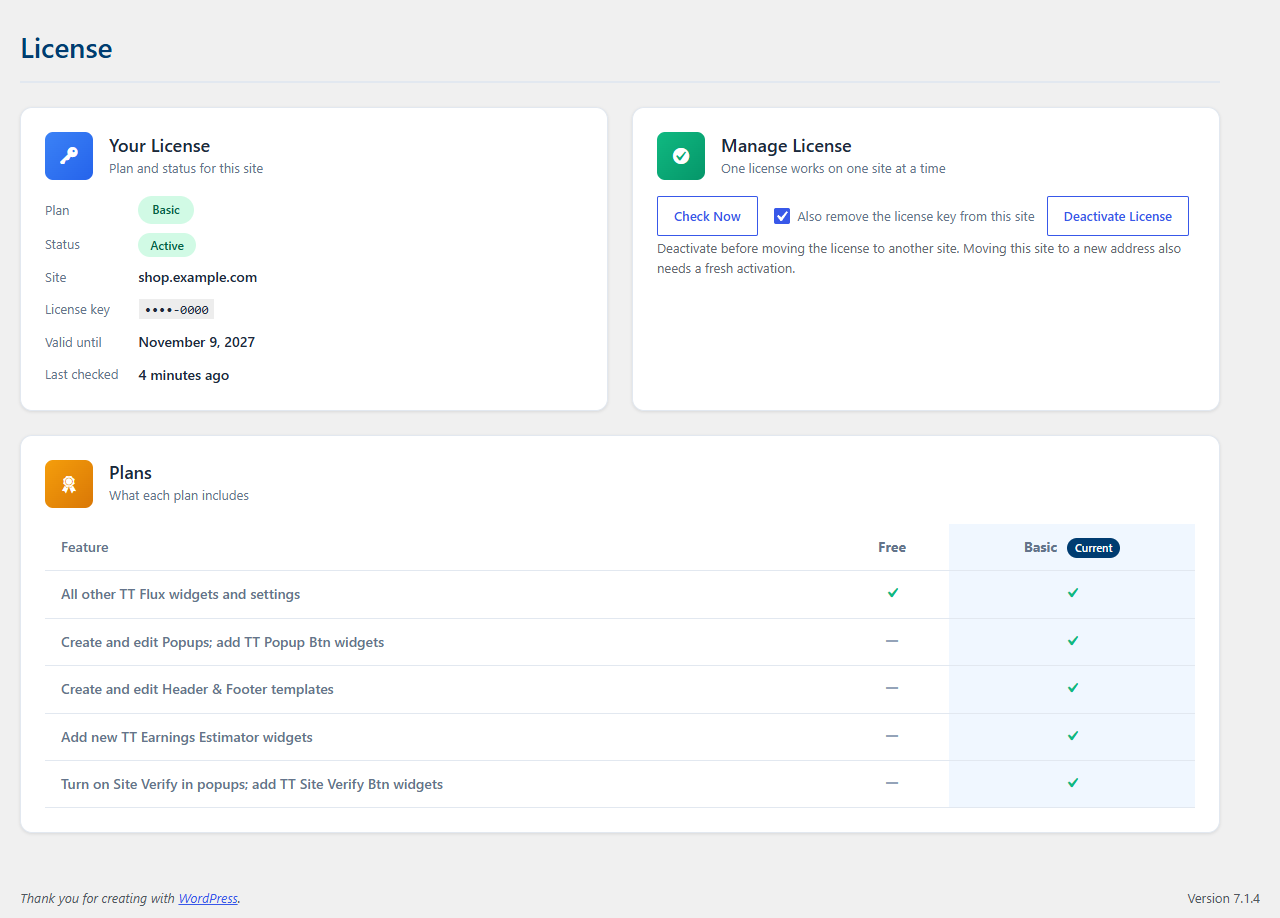
- Open TT Flux › License.
- Paste the license key from your license email and click Activate License.
- The page shows your plan, status, site, the last characters of the key, the end date and when it was last checked.
A license works on one site address at a time and is re-checked automatically about every 36 hours. Use Check Now to refresh it immediately.
Move a license to another site
Click Deactivate License on the old site, then activate the key on the new one. Tick Also remove the license key from this site to delete the stored key as well. Moving a site to a new address also needs a fresh activation.
What happens on the Free plan
Without a license, or when it expires, is paused or is removed, the plugin falls back to Free. Nothing is deleted and visitors see no change:
- Existing popups, header and footer templates, TT Popup Btn, TT Site Verify Btn and TT Earnings Estimator widgets keep displaying and working.
- The Basic features are shown greyed out and marked view only in the menu, Dashboard, Widget Manager and Settings.
- The Popup and Header & Footer lists can be opened, but nothing can be added, edited, activated or deleted.
If the licensing service cannot be reached, your current plan stays in force until the last successful check expires.
Privacy. The plugin contacts the Tantech licensing service only when a license key is entered, and sends only the key, the product code and your site's domain.