Dynamic Discount
Dynamic Discount rules change prices automatically for the customers and products you choose. Rules work for every audience, not only Groups.
The rule list
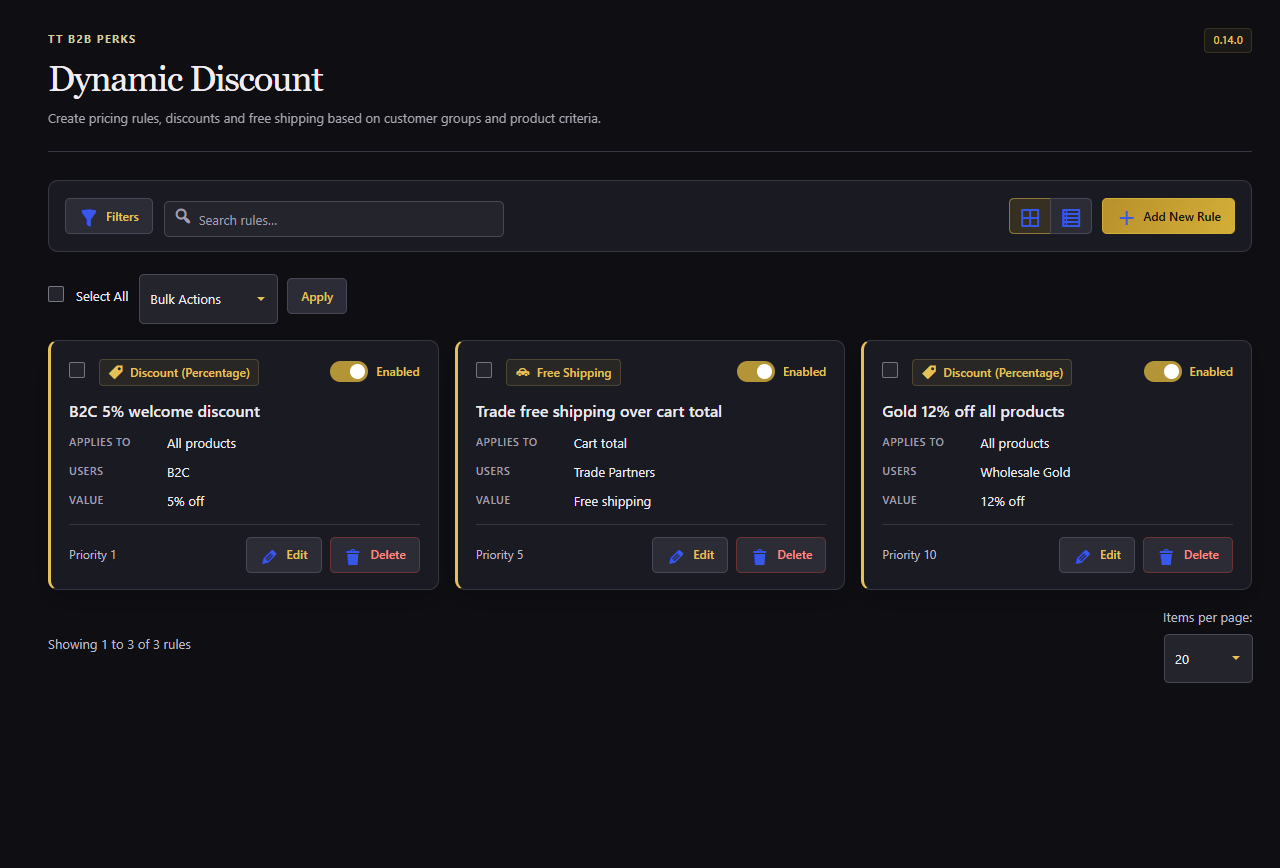
TT B2B Perks › Dynamic Discount lists every rule with its type, products, customers, value and priority. You can:
- filter by type, applies to, customers and status, or search;
- switch between grid and list view;
- turn a rule on or off with its status switch;
- enable, disable or delete several rules at once.
Create a rule
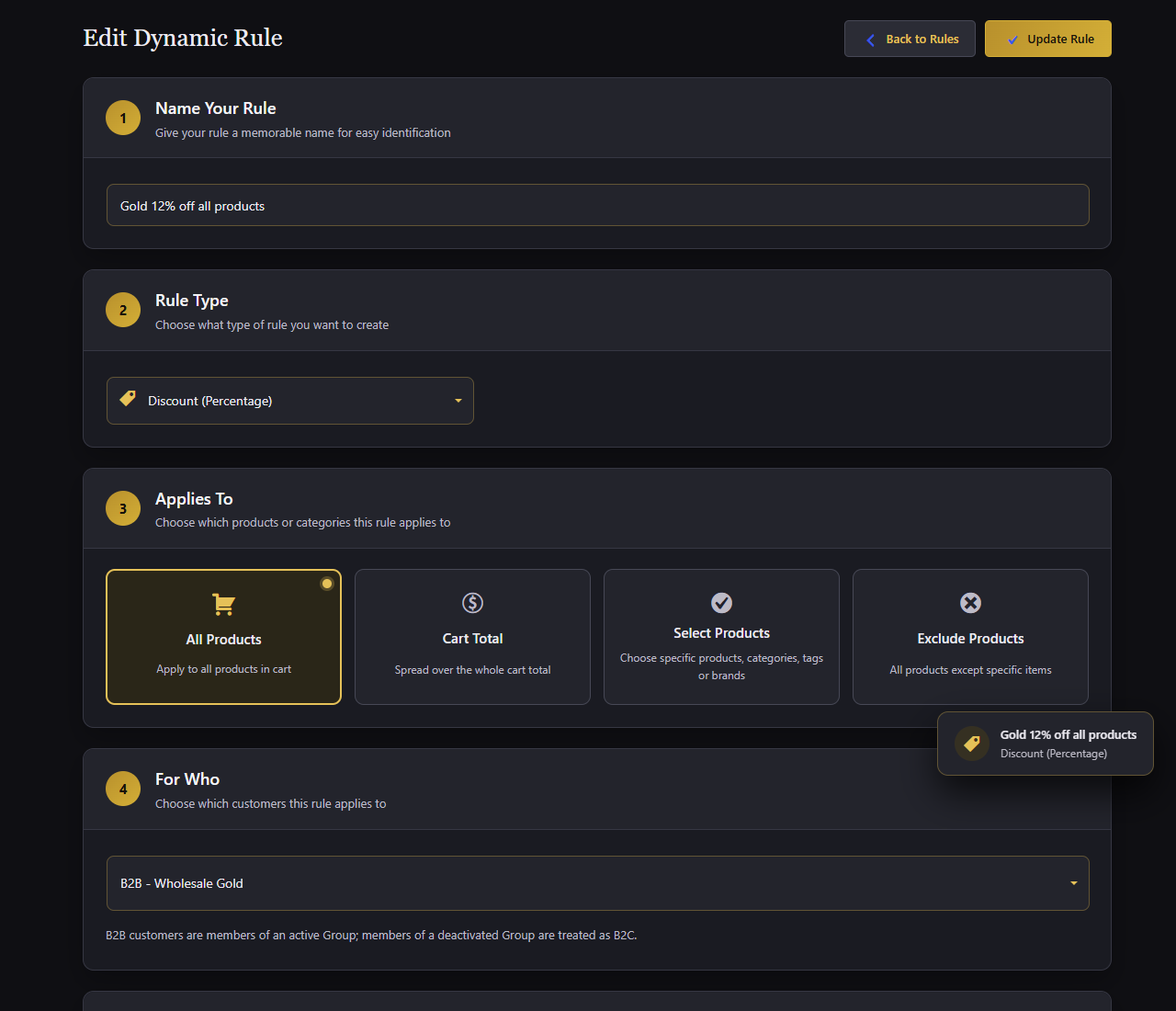
Select Add New Rule. The editor walks through numbered steps, with a live summary of the rule on the side.
- Name the rule.
- Rule type: choose one of the types below.
- Applies to: All products, Cart total, Select products or Exclude products. Product selection searches products, categories, tags and brands.
- For who: all logged-in users, B2B, B2C, guests, or a combination of Groups, B2C, Logged out and specific users.
- How much: the amount or percentage.
- Discount options and Conditions (optional).
- Priority, then Save & Activate.
Rule types
| Type | Effect |
|---|---|
| Discount (Amount) | Takes a fixed amount off. |
| Discount (Percentage) | Takes a percentage off. |
| Raise Price (Percentage) | Adds a percentage to the price. |
| Buy X Get Y | Gives free or discounted items when a quantity is bought. |
| Tiered Price | Lower prices at higher quantities. The tier table shows on the product page. |
| Free Shipping | Makes WooCommerce's Free shipping method available. |
Free Shipping rules need the Free shipping method. Add WooCommerce's Free shipping method to the relevant shipping zones. The Group's shipping switch still applies first.
How prices are calculated
Every rule changes the unit price of cart lines, so order lines, invoices and Dashboard sales all agree. No negative fees are added.
- Price increases are applied first.
- Then the lowest of the winning discount and the tier price.
- Then Buy X Get Y.
- A cart-total amount or percentage is spread across the lines by value.
When several rules of the same type match, the one with the highest priority wins; between different types, the customer gets the best price. Prices are always calculated from the product's stored price, so rules never stack on themselves.
The Apply discount as sale price option also shows the reduced price, struck through, on product pages.
Good to know
- Each order line records which rules were applied.
- Rules are not applied when you edit an order in wp-admin.
- A Group used by a rule cannot be deleted.
- Do not run B2BKing dynamic rules at the same time, or prices are adjusted twice.